
memory · hindsight
An AI coding agent with long-term memory you can see and control
Most coding agents start every chat from zero. Muster Agent keeps notes about you and about each project, recalls the relevant ones before each turn, and shows you what will be recalled before you send, so memory is something you manage rather than something that happens to you.
Works with
What Muster Agent works with.
- Codex, using your ChatGPT sign-in.
- Claude Code, using the install and sign-in you already have.
- OpenCode.
- Cursor: runs the Cursor Agent CLI you have installed and signed in to.
- Google Gemini: runs the Gemini CLI you have installed and signed in to.
- Any OpenAI-compatible model router: OmniRoute, OpenRouter, LiteLLM-style gateways and custom endpoints, with your own key for each.
- Any OpenAI-compatible API, including Meta’s Muse models (Muse Spark, Muse Wonder) through the Meta Model API, plus open-weight models you run locally.
- Local models through Ollama and LM Studio.
- Paperclip: check out tasks from a Paperclip org, work locally in a git worktree, and let the work hand itself back.
- Sandboxing: scoped sandboxes and computers, permission modes from read-only to full access, and secrets kept out of commands.
Why memory
Agents that learn, not just agents that chat.
Every new chat with a coding agent begins with the same ritual: explain the stack, the conventions, the commands to run and the mistakes to avoid. Long-term memory removes that ritual. Muster Agent stores what an agent learned about you and about a project, and brings the relevant parts into the next conversation, whichever engine you use.
Memory only helps if you can trust it, so the design is built around visibility. Nothing is recalled invisibly, and nothing is saved without a setting that says so.
How it works
Scopes, recall and a say in every step.
Personal and per-folder scopes
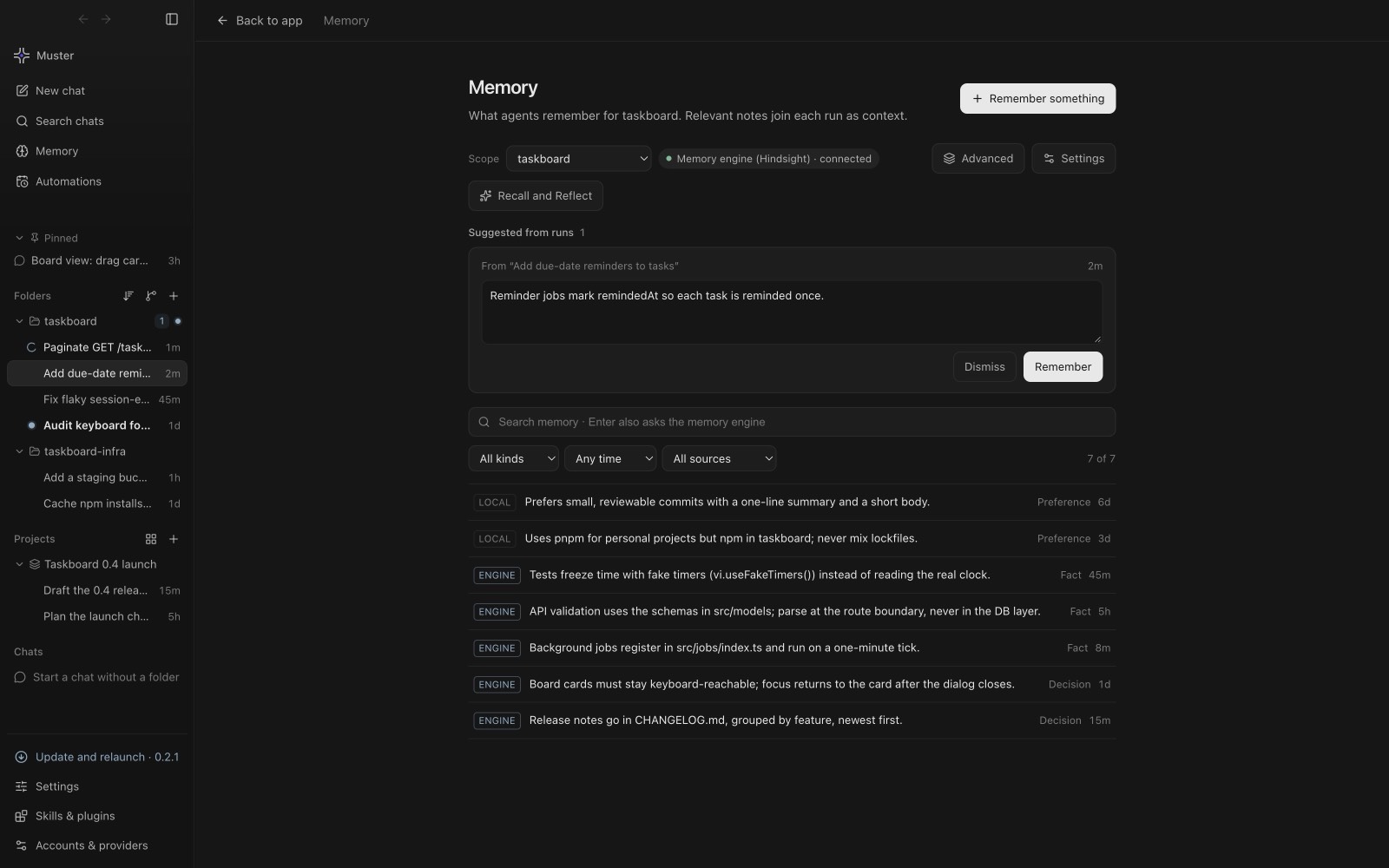
Notes live either in your Personal scope or with a folder or project. A repository’s conventions stay with that repository and do not leak into another one, while preferences that follow you, such as how you like commit messages written, stay personal.
Recall preview
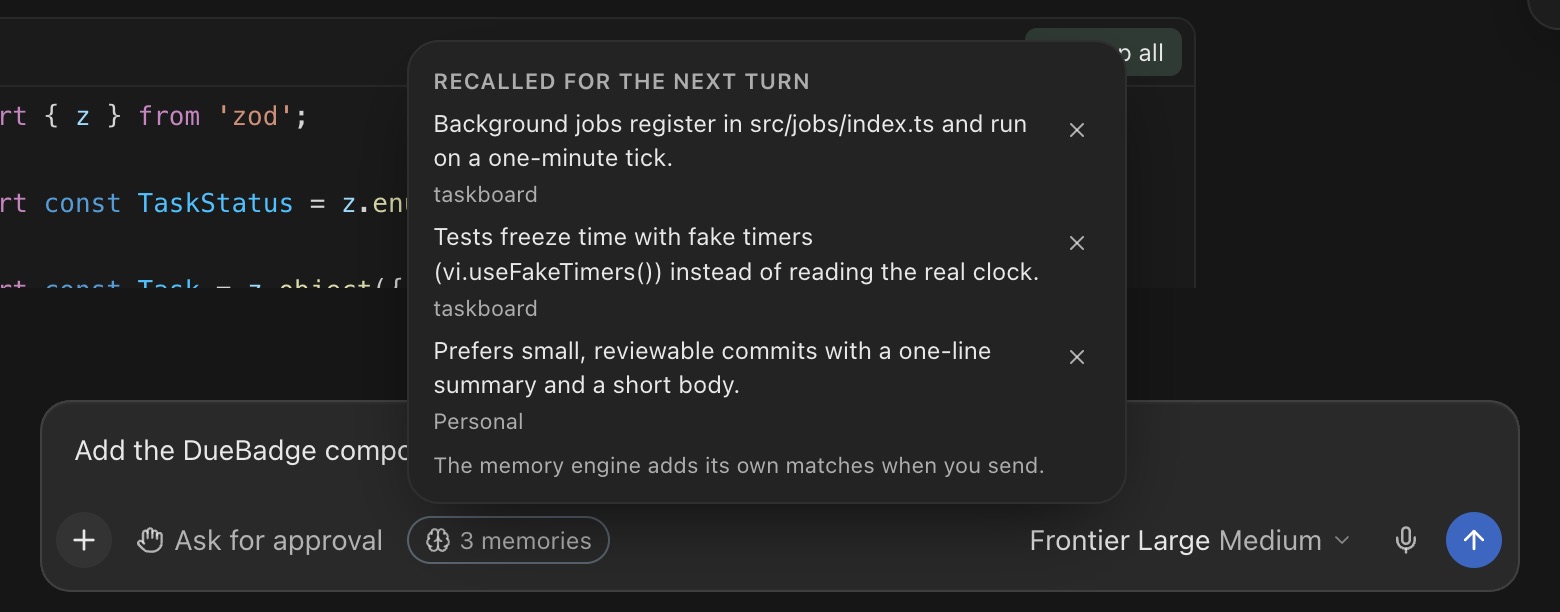
A chip in the composer lists the notes the next turn will recall for the draft you are typing. Open it to read them, or remove any note you do not want in this particular chat.
Saving, on your terms
After a run, Muster Agent can suggest a note to keep or dismiss. A setting chooses between never saving, asking after runs, and saving after completed runs. Recall happens automatically before each turn, and you can turn it off.
Browse, search, edit, delete
The Memory screen lists every note with where it came from, and lets you search, add and delete. Deletions are tracked until the memory engine confirms them, so a note you removed does not quietly reappear.
Under the hood
Powered by Hindsight, pointed where you choose.
Long-term recall is powered by Hindsight, an open memory engine. In Memory settings you point Muster Agent at a Hindsight endpoint, for example one running on your own computer, or set the HINDSIGHT_API_URL and HINDSIGHT_API_KEY environment variables. A key saved in settings is stored encrypted. Because you choose the endpoint, you also choose where your notes live.
Memory across engines and tasks
Memory sits above the model, so it works the same whether a chat runs on Claude Code, Codex, a gateway or a local model. See running Claude Code and Codex in one app. When you work on tasks from a Paperclip server, task conversations carry handoff notes in the same spirit; see working locally on Paperclip tasks.
What memory is good for
The notes that pay off are small and specific: the command that runs the tests for this repository, the naming convention a team agreed on, the reason a dependency is pinned, the way you prefer pull requests to be described. A suggested note after a run is usually one of these. Keep the ones that would save you a sentence next time, and dismiss the rest; a short, accurate memory is more useful than a long, noisy one.
Containment, not just recall
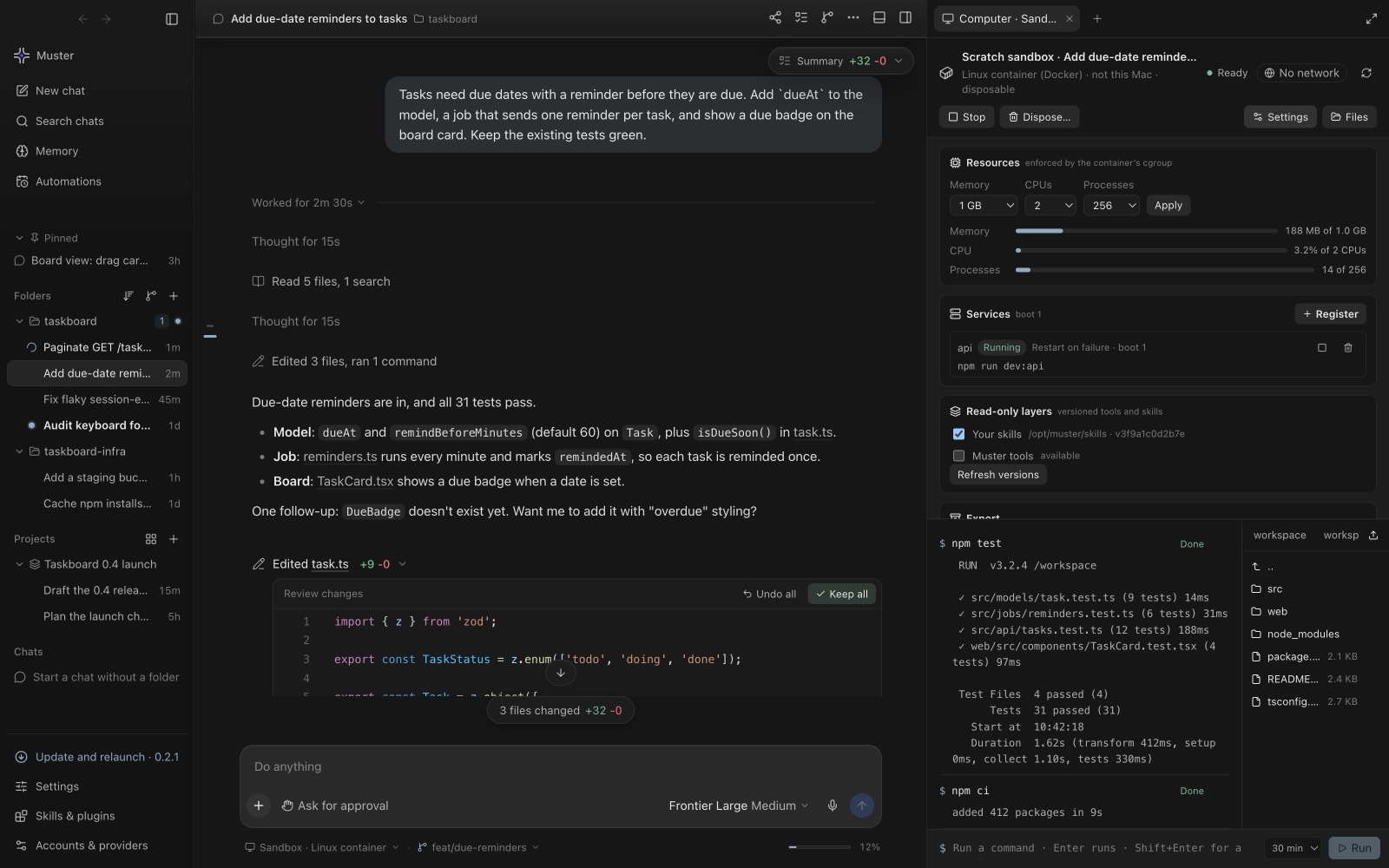
Memory is paired with isolation. A chat or a folder can have its own Docker-backed computer with no network by default, 512 MiB of memory, one CPU and 256 processes unless you change them, and only the environment variables and folders you grant.
Looking for the deeper design thinking behind scoped agent memory? Read building an AI agent with memory that does not leak.