
WORKS WITH SANDBOXES
A sandboxed coding agent: scoped computers, permission modes and no secrets in commands
Muster Agent is a free, open-source desktop app that works with Codex, Claude Code and other agents, and adds the containment around them: disposable Docker computers with no network by default, three permission modes from read-only to full access, and a command environment scrubbed of keys and tokens.
Works with
What Muster Agent works with.
- Codex, using your ChatGPT sign-in.
- Claude Code, using the install and sign-in you already have.
- OpenCode.
- Cursor: runs the Cursor Agent CLI you have installed and signed in to.
- Google Gemini: runs the Gemini CLI you have installed and signed in to.
- Any OpenAI-compatible model router: OmniRoute, OpenRouter, LiteLLM-style gateways and custom endpoints, with your own key for each.
- Any OpenAI-compatible API, including Meta’s Muse models (Muse Spark, Muse Wonder) through the Meta Model API, plus open-weight models you run locally.
- Local models through Ollama and LM Studio.
- Paperclip: check out tasks from a Paperclip org, work locally in a git worktree, and let the work hand itself back.
- Sandboxing: scoped sandboxes and computers, permission modes from read-only to full access, and secrets kept out of commands.
The problem
Agents are most useful when they can act, and riskiest then too.
A coding agent that can only talk is not much help. One that can edit files and run commands on your laptop is, but it also has your files, your shell and, unless something stops it, your environment variables. Muster Agent handles this with layers you can choose between: how much the agent may do, where it does it, and what it can see while doing it.
Permission modes
Read-only, workspace or full access, per chat.
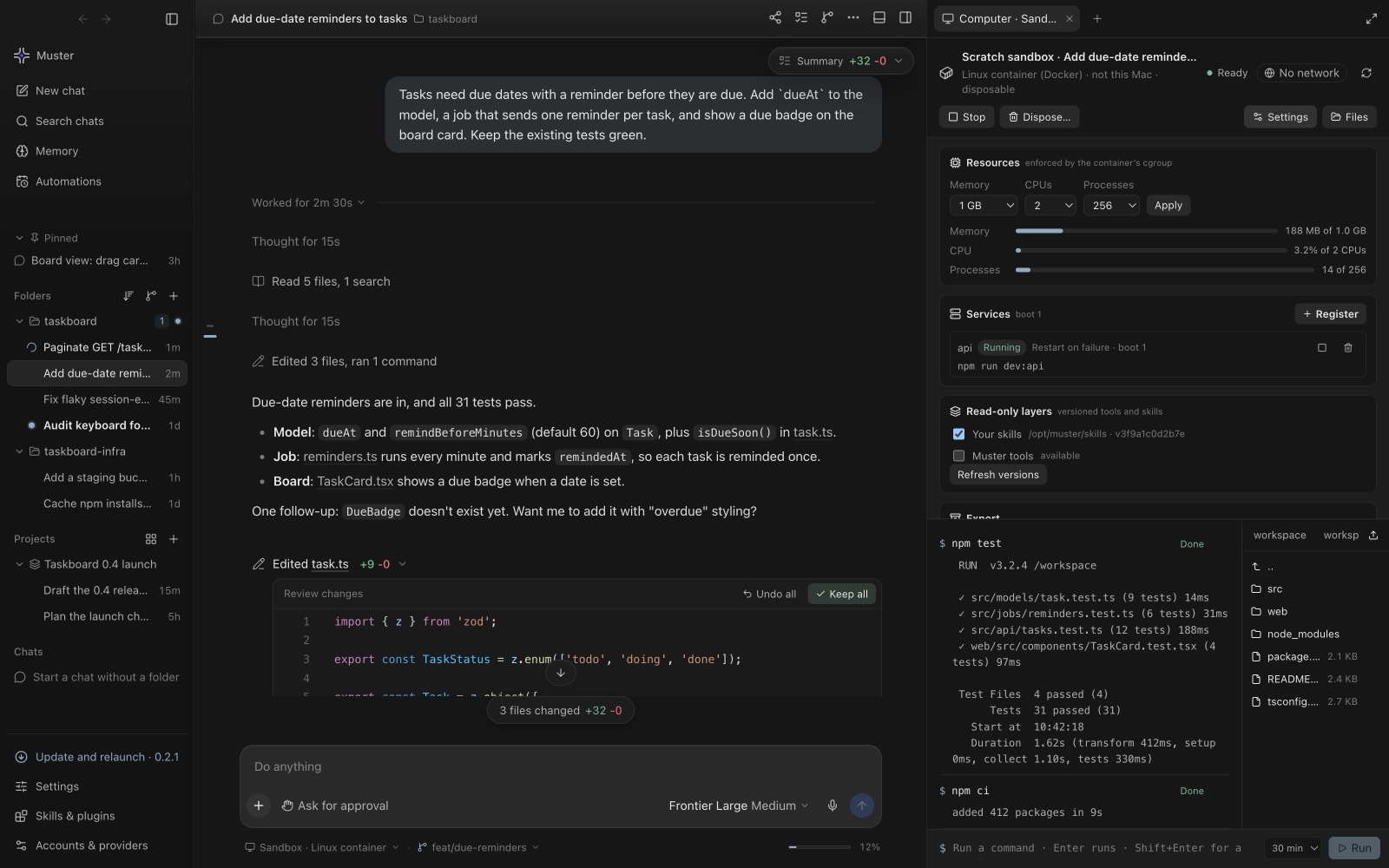
Every chat has one of three permission modes, and the engine underneath is held to it whichever one you use.
- Read-only. The agent can read and answer. It does not edit files or run commands, and it does not drive the computer or the browser beyond reading pages and taking screenshots.
- Workspace. The agent can work inside the project folder, and steps that need your say-so appear as approval cards.
- Full access. The agent runs without approval prompts. Use it when you have already contained the work, for example in a sandbox or a worktree.
For the engines that run as their own command-line tools, Muster Agent translates the mode into that tool’s own flags. For the Cursor Agent CLI, read-only becomes its ask mode, while workspace keeps Cursor’s sandbox on and full turns it off. For the Gemini CLI, read-only becomes plan mode, workspace becomes auto-edit and full becomes yolo. The same modes apply to Codex, Claude Code, OpenCode and OpenAI-compatible routers.
Scoped computers
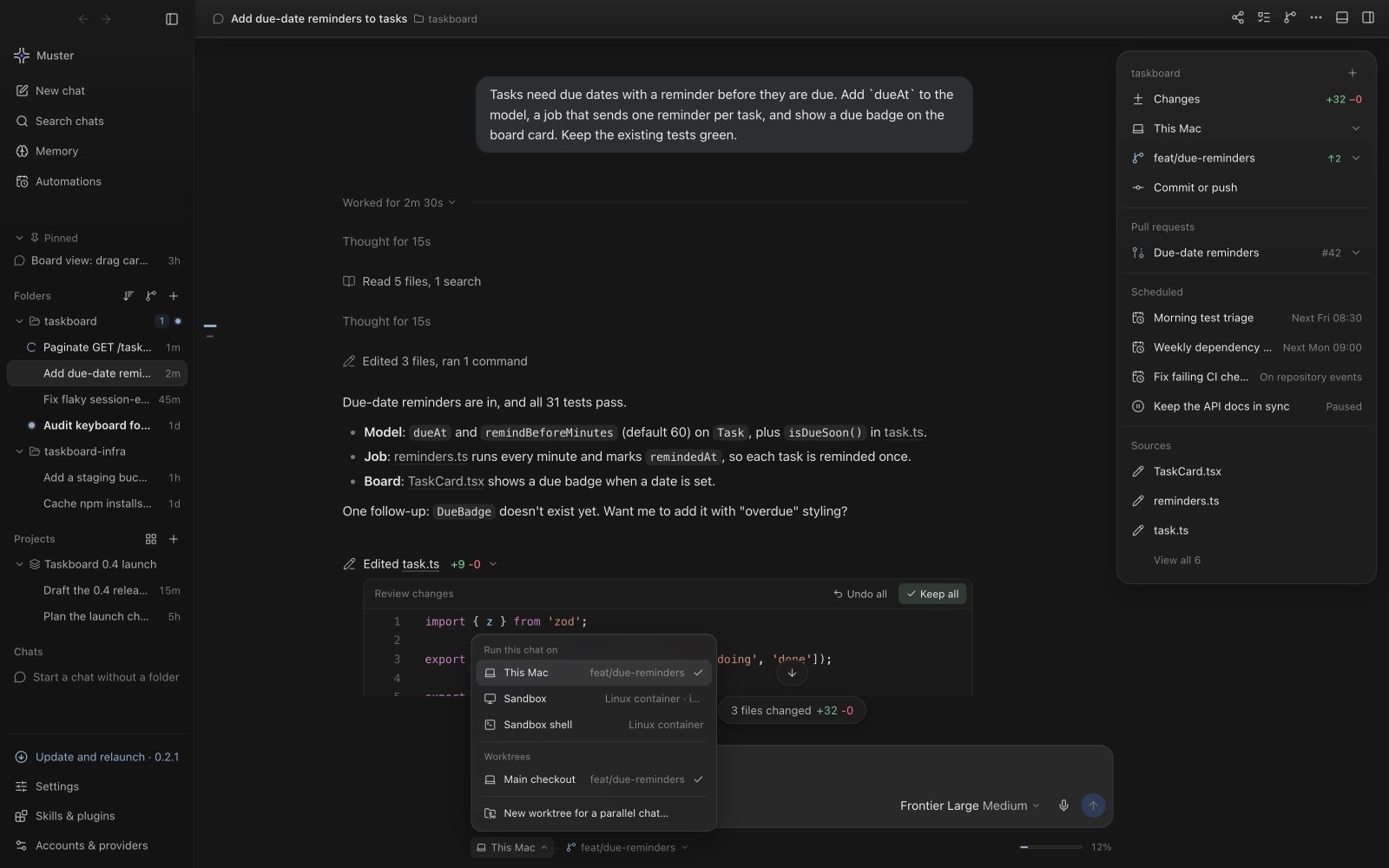
Give the agent a computer of its own.
A chat, or a whole folder, can get its own Docker container with its own history, files and services. The defaults are conservative: no network unless you allow egress, 512 MiB of memory, one CPU and 256 processes, all adjustable per computer, with at most two computers running at once.
Access is by explicit grant. Environment variables and tool access are allowlisted, and extra folders can be mounted read-only. Tool and skill layers are mounted into the container as read-only snapshots. Sandboxes are optional: install Docker to turn them on, and without it everything else works normally.
An honest limit
A sandboxed chat tells the agent truthfully that its own shell still runs on your computer under the chat’s access level, and asks it to use the sandbox tools instead. Containment comes from combining the sandbox with the right permission mode, not from the sandbox label alone.
Secrets
Keys and tokens stay out of commands.
Commands the agent runs get a scrubbed environment: variables that look like API keys, tokens, passwords or credentials are removed before the command starts. Secrets are also removed from stored commands and diffs, and a chat on a router route runs its tools the same way. File tools never follow a link out of the project folder, linked files outside the folder cannot be read without full access, and pressing Stop ends everything a command started, including programs it detached.
Provider keys you save in Muster Agent are stored encrypted, and on Linux only with a real keyring, never with an insecure fallback.
Putting it together
A sensible setup for unfamiliar work is a chat in a worktree or a sandbox, in workspace mode, on a model you trust with that code. For routine work in a repository you know, read-only is a safe way to explore before you change anything. For tasks from a Paperclip server, see working locally on Paperclip tasks; for the models and routers behind a chat, see running Claude Code and Codex in one app and the router guide.