
WORKS WITH CLAUDE CODE AND CODEX
Run Claude Code and Codex in one app: a desktop app that works with both
Muster Agent is a free, open-source desktop app that works with Claude Code, Codex, OpenCode, the Cursor Agent CLI, the Gemini CLI, OpenAI-compatible routers and local models. Pick the engine per chat, keep one memory, and review every edit in the same diff view.
Works with
What Muster Agent works with.
- Codex, using your ChatGPT sign-in.
- Claude Code, using the install and sign-in you already have.
- OpenCode.
- Cursor: runs the Cursor Agent CLI you have installed and signed in to.
- Google Gemini: runs the Gemini CLI you have installed and signed in to.
- Any OpenAI-compatible model router: OmniRoute, OpenRouter, LiteLLM-style gateways and custom endpoints, with your own key for each.
- Any OpenAI-compatible API, including Meta’s Muse models (Muse Spark, Muse Wonder) through the Meta Model API, plus open-weight models you run locally.
- Local models through Ollama and LM Studio.
- Paperclip: check out tasks from a Paperclip org, work locally in a git worktree, and let the work hand itself back.
- Sandboxing: scoped sandboxes and computers, permission modes from read-only to full access, and secrets kept out of commands.
The problem
Two good agents, two separate terminals.
Claude Code and Codex are both strong, and they are good at different things. Using both usually means two terminals, two histories, two ways of reviewing changes and no shared memory of what either one learned about your project. Muster Agent works with both from one window, so the choice of engine becomes a per-chat setting rather than a different workflow.
Nothing is replaced. Muster Agent finds the Claude Code and Codex installs and sign-ins already on your computer and works with them as they are, so your subscriptions, configuration and habits carry over. It is free and MIT-licensed, and independent of both vendors. It also runs the Cursor Agent CLI and the Gemini CLI when you have them installed and signed in.
How it works
Detect what you have, then choose per chat.
Providers are found for you
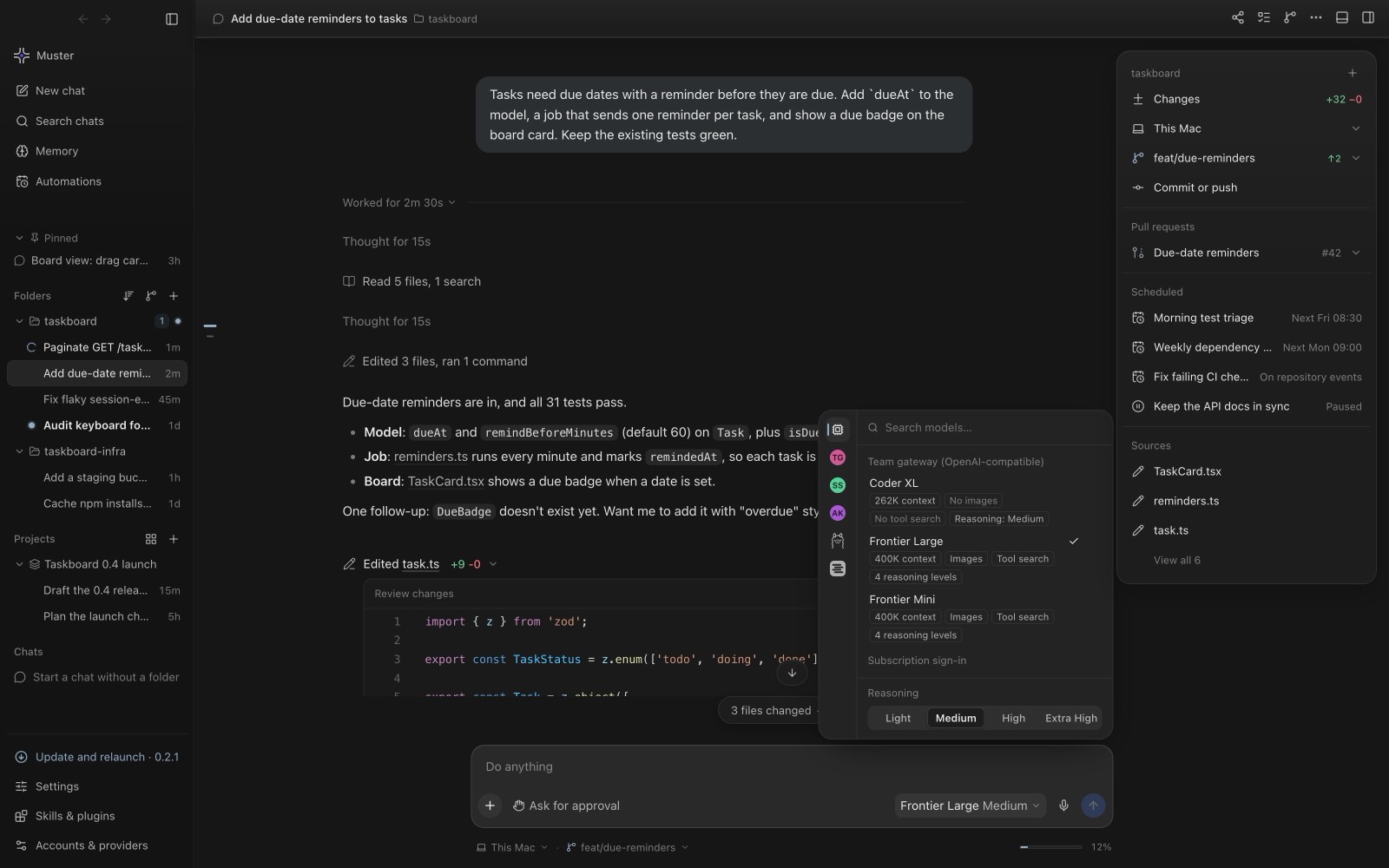
On first launch Muster Agent detects subscription sign-ins from the command-line tools on your computer, OpenAI-compatible gateways in your local agent configuration, API keys in your environment (OpenAI, Anthropic, OpenRouter, Groq, Mistral, DeepSeek, Gemini and others), and local model servers such as Ollama and LM Studio. Anything else can be added as a custom OpenAI-compatible endpoint. Models come from each provider’s own model list, not a hard-coded catalogue.
Switch engines inside a project
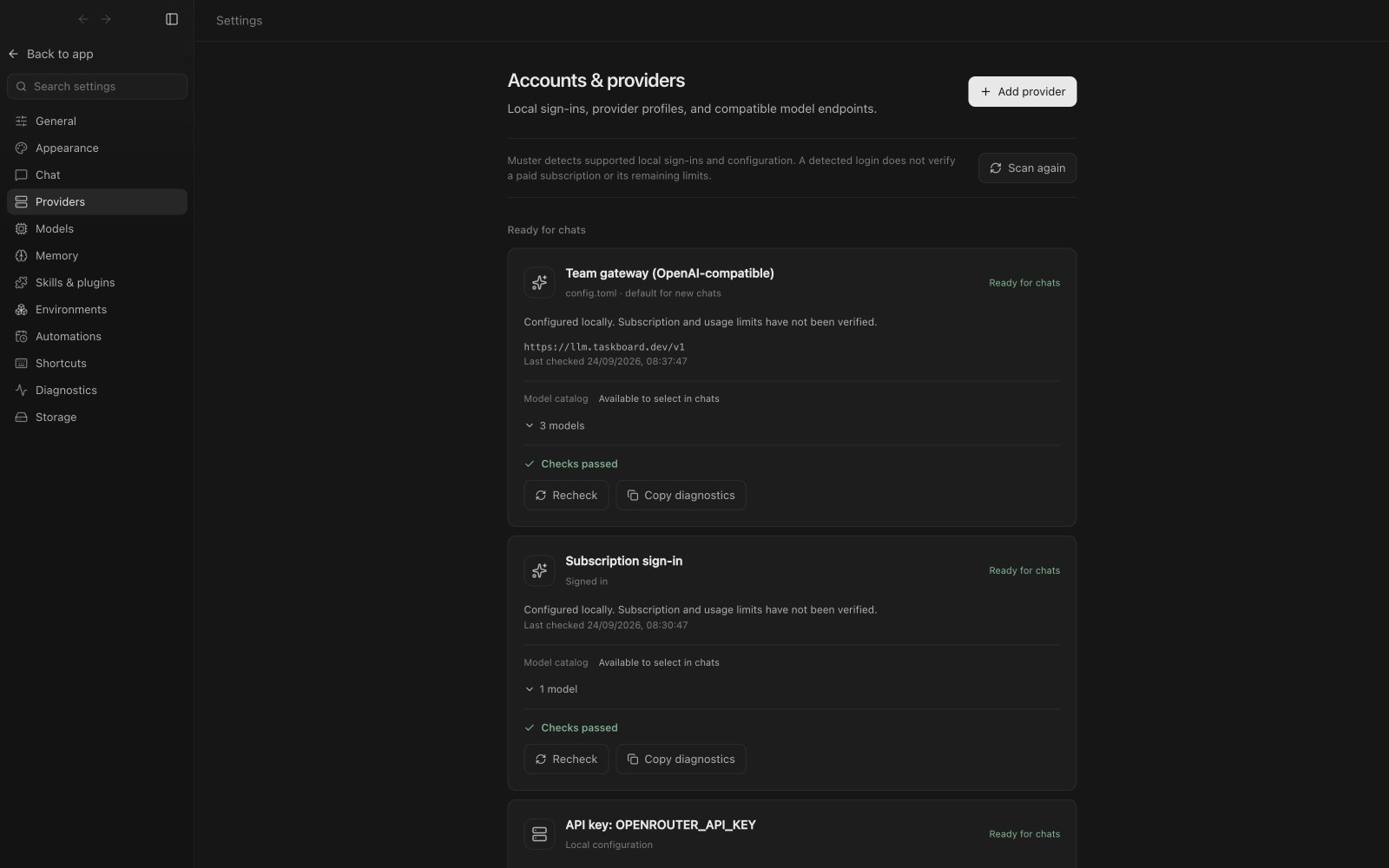
Start one chat on Claude Code and another on Codex in the same folder. The model picker shows context size, image support and reasoning level for each option, and you change it per chat. A chat is never moved to another provider or account on its own; if a model cannot run commands, the composer says so and offers a one-click switch.
Parallel work that does not collide
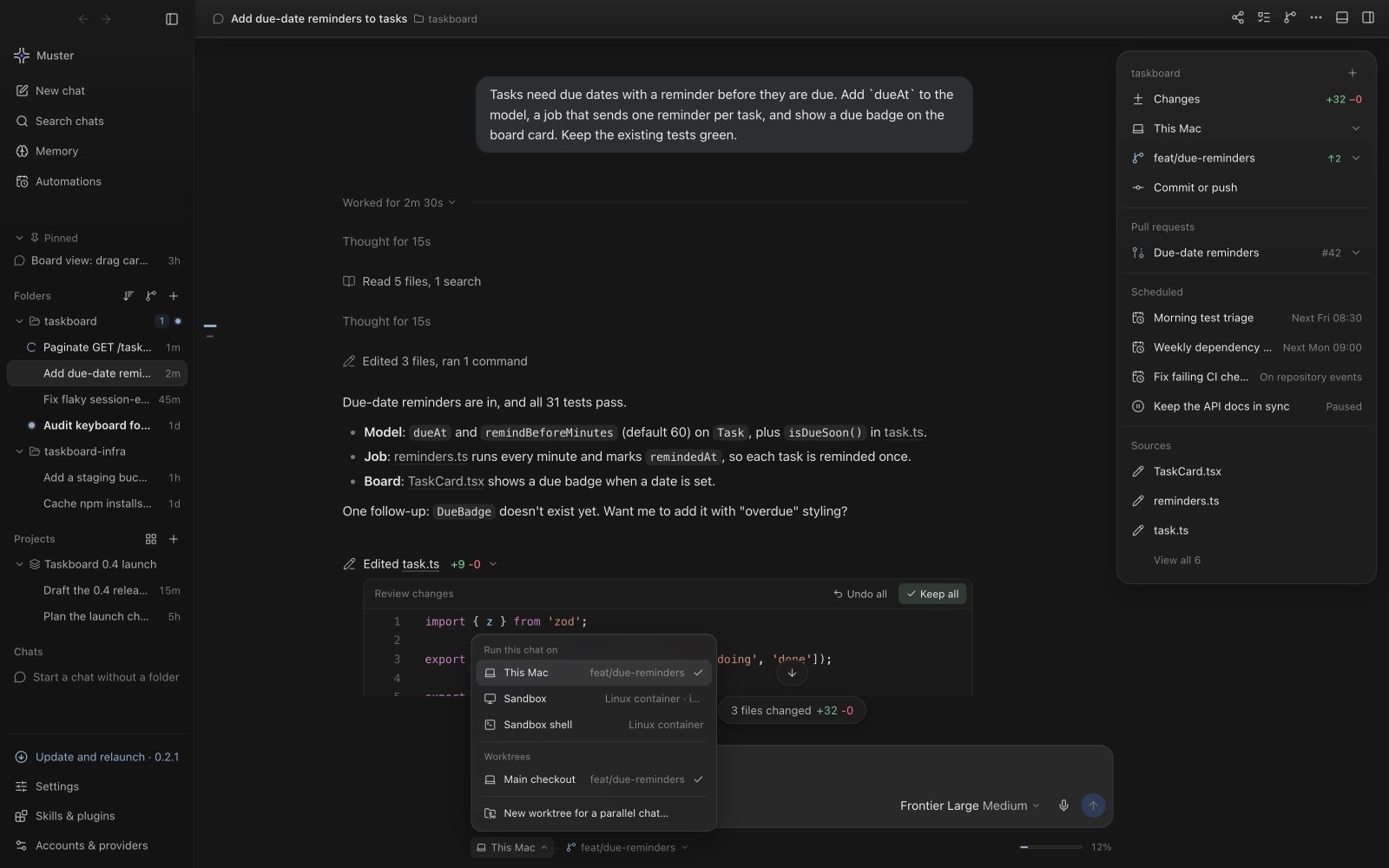
Several chats can share a checkout. Muster Agent detects overlapping edits and can run a chat in a new git worktree so parallel tasks stay apart. A menu in the composer chooses where each chat runs: this computer, a sandbox, or a worktree.
What is shared
One workbench around whichever engine you pick.
- One review flow. Edits from any engine show as inline diffs you can keep or undo per hunk or per file.
- One memory. Personal and per-folder notes are recalled before each turn whichever model answers. See long-term memory.
- One terminal and browser. Shells, a preview browser and git history sit next to the conversation.
- One search. Press the search shortcut to find chats, message text and files across engines.
- One set of skills and MCP servers. Local skills, plugins and MCP servers are managed in a single settings screen.
Local models too
Because gateways and local servers are first-class, you can run a cheaper or private model for routine edits and reserve a frontier model for hard problems. See the OmniRoute desktop client page for routing many providers through one endpoint.
Choosing between them
There is no single winner, which is the point of having both in reach. A practical habit is to try the same small task on each engine in separate chats, compare the diffs side by side, and keep the one whose change you would rather review. Because every edit lands in the same diff view with the same Keep and Undo controls, the comparison costs little. Over a few weeks you learn which engine suits refactors, which suits debugging, and which suits writing tests, and you can set that per chat instead of per tool.
What it costs
Muster Agent itself is free. You pay your model providers exactly as you do today, through your existing subscriptions or API keys. There is no markup and no account with us.