
GUIDE · ADE
What is an AI Development Environment (ADE)?
An AI Development Environment is a workspace built for delegating goals to coding agents and supervising the result. This guide explains what that means, when you want one, what to look for, and how Muster Agent, an open-source ADE, approaches each point.
Works with
What Muster Agent works with.
- Codex, using your ChatGPT sign-in.
- Claude Code, using the install and sign-in you already have.
- OpenCode.
- Cursor: runs the Cursor Agent CLI you have installed and signed in to.
- Google Gemini: runs the Gemini CLI you have installed and signed in to.
- Any OpenAI-compatible model router: OmniRoute, OpenRouter, LiteLLM-style gateways and custom endpoints, with your own key for each.
- Any OpenAI-compatible API, including Meta’s Muse models (Muse Spark, Muse Wonder) through the Meta Model API, plus open-weight models you run locally.
- Local models through Ollama and LM Studio.
- Paperclip: check out tasks from a Paperclip org, work locally in a git worktree, and let the work hand itself back.
- Sandboxing: scoped sandboxes and computers, permission modes from read-only to full access, and secrets kept out of commands.
Definition
An environment for delegating, not just typing.
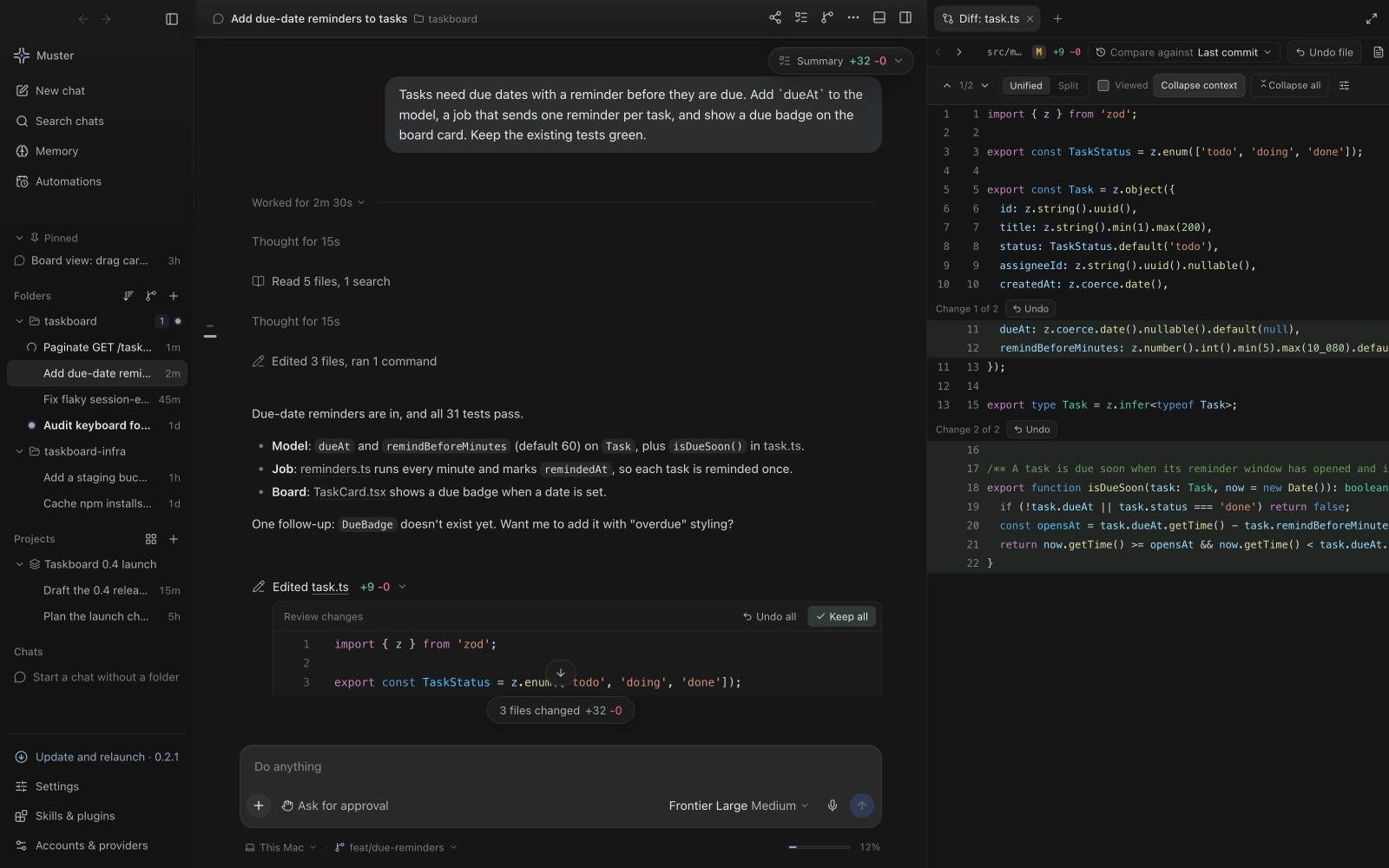
An AI Development Environment, or ADE, is a workspace designed around coding agents. The starting point is different from an editor with AI added. In an editor you write code and the AI suggests the next line or answers a question. In an ADE you describe a goal, one or more agents carry it out in a project folder, and the environment is built to help you supervise: what the agent is doing now, what it changed, what it ran, what it cost, and whether to keep the result.
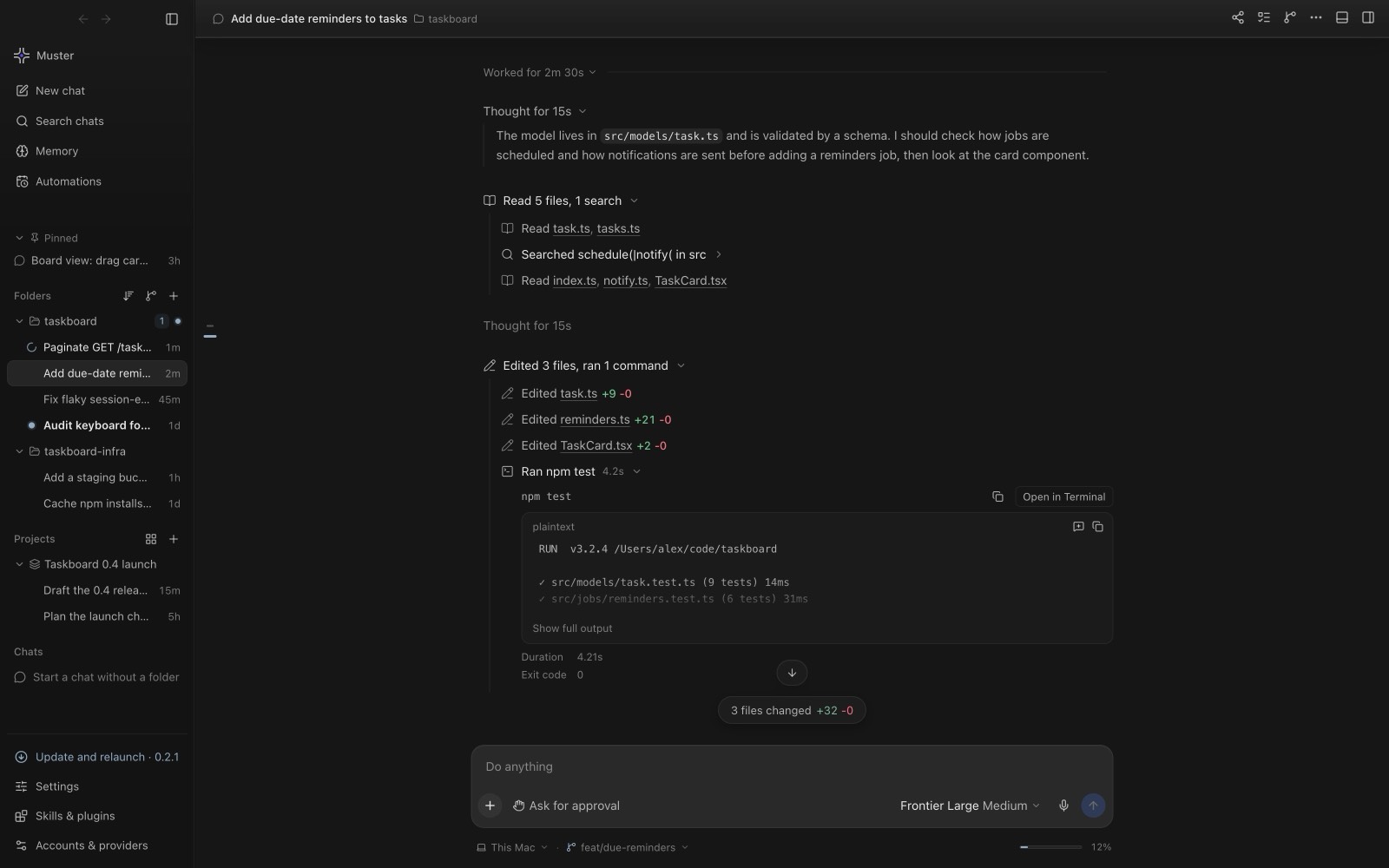
That shift changes what the tool needs to show. A chat box is not enough when an agent works for twenty minutes across a dozen files. You want live diffs you can accept or undo, a terminal and a browser next to the conversation, a history you can search, and a way to run several agents at once without them overwriting each other.
When you want one
Four situations where an ADE earns its place.
- Parallel agents. Several tasks at once, each in its own chat, need to stay apart and be easy to compare.
- Multiple repositories. Moving between projects is easier when each has its own chats, notes and history.
- Long tasks. Work that runs for a while needs visible progress, safe stopping, and a way to resume.
- Team hand-offs. When tasks are planned by one person or system and done by another, the work needs a clean check-out and hand-back with a record of what happened.
If you mostly type code yourself and want occasional suggestions, an editor with AI features may be all you need. An ADE pays off as you delegate more.
What to look for
Five questions to ask of any ADE.
1. Does it work with the agents and models you want?
Agents and models change quickly. An ADE that ties you to one vendor ties you to that vendor’s pace. Look for support for several agents, for model routers and gateways, and for local models.
2. How does it isolate the work?
Agents that can run commands need boundaries. Useful building blocks are git worktrees for parallel changes, disposable sandboxes for risky commands, and permission modes that decide how much an agent may do.
3. Can you review what changed?
Every edit should be visible as a diff, and you should be able to keep or undo it per hunk or per file, before it becomes part of your history.
4. Can you see what it cost?
Long agent runs consume tokens. Per-turn receipts showing model, tokens and cost make spending something you can read rather than discover on an invoice.
5. Where do your code, keys and memory live?
Read the privacy model. Know what stays on your machine, what is sent to a model provider, and where long-term notes are stored.
Muster Agent
How Muster Agent approaches each one.
- Open source and local-first. Muster Agent is MIT-licensed and runs on your computer. Provider keys are stored encrypted on your machine, and long-term memory lives in the endpoint you choose.
- Works with every agent and router. It runs Codex, Claude Code, OpenCode, the Cursor Agent CLI and the Gemini CLI you already have, and connects to any OpenAI-compatible router, API or local server. See running Claude Code and Codex in one app and the router guide.
- Paperclip team tasks. Check a task out of a Paperclip org, work on it locally in a git worktree, and let it hand itself back after a countdown. See Paperclip tasks.
- Sandboxing. Scoped Docker computers with no network by default, permission modes from read-only to full access, and secrets kept out of commands. See sandboxed agents.
- Reviewable changes and receipts. Live diffs with Keep and Undo, and per-turn receipts in the Ledger.
- Memory you control. Personal and per-folder notes with a recall preview before you send. See long-term memory.
Try it
Muster Agent is free for macOS, Windows and Linux. Start with one small task, review the diff, and add agents, worktrees or sandboxes as you need them.