
WORKS WITH CODEX
An open-source desktop app for Codex, Claude Code, any model router and local models
Muster Agent is a free, MIT-licensed desktop app that works with Codex, Claude Code, OpenCode, the Cursor Agent CLI, the Gemini CLI, any OpenAI-compatible router and local models, on macOS, Windows and Linux. It finds the installs and sign-ins already on your computer and gives them a workbench: live diffs you can keep or undo, a terminal, a browser, git history and long-term memory.
Works with
What Muster Agent works with.
- Codex, using your ChatGPT sign-in.
- Claude Code, using the install and sign-in you already have.
- OpenCode.
- Cursor: runs the Cursor Agent CLI you have installed and signed in to.
- Google Gemini: runs the Gemini CLI you have installed and signed in to.
- Any OpenAI-compatible model router: OmniRoute, OpenRouter, LiteLLM-style gateways and custom endpoints, with your own key for each.
- Any OpenAI-compatible API, including Meta’s Muse models (Muse Spark, Muse Wonder) through the Meta Model API, plus open-weight models you run locally.
- Local models through Ollama and LM Studio.
- Paperclip: check out tasks from a Paperclip org, work locally in a git worktree, and let the work hand itself back.
- Sandboxing: scoped sandboxes and computers, permission modes from read-only to full access, and secrets kept out of commands.
What it is
A desktop workbench that works with the Codex you already use.
Codex is a capable coding agent, but it is mostly met in a terminal. Muster Agent is a separate desktop app that works with it, so you can see what the agent is doing while it does it. You do not install a second copy of anything and you do not sign in again: on first launch Muster Agent looks for the Codex command-line tool and the ChatGPT sign-in already on your machine, and uses them as they are.
The app is open source under the MIT licence and free to download. You bring your own model access, whether that is a ChatGPT sign-in, an API key, an OpenAI-compatible gateway or a local model server. Muster Agent is an independent project; see the trademark note at the foot of the page.
What you get
Everything around the agent, not just a chat box.
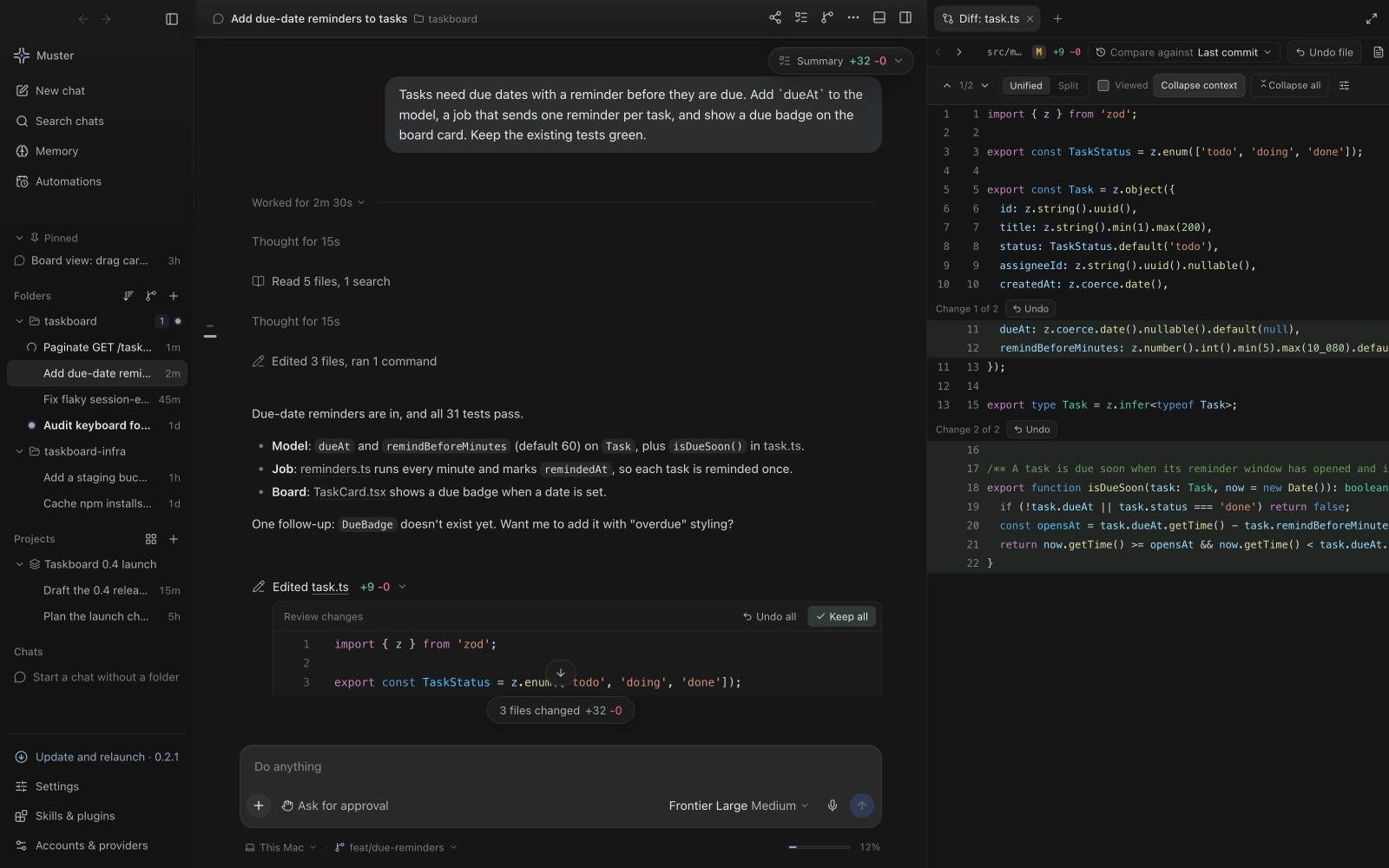
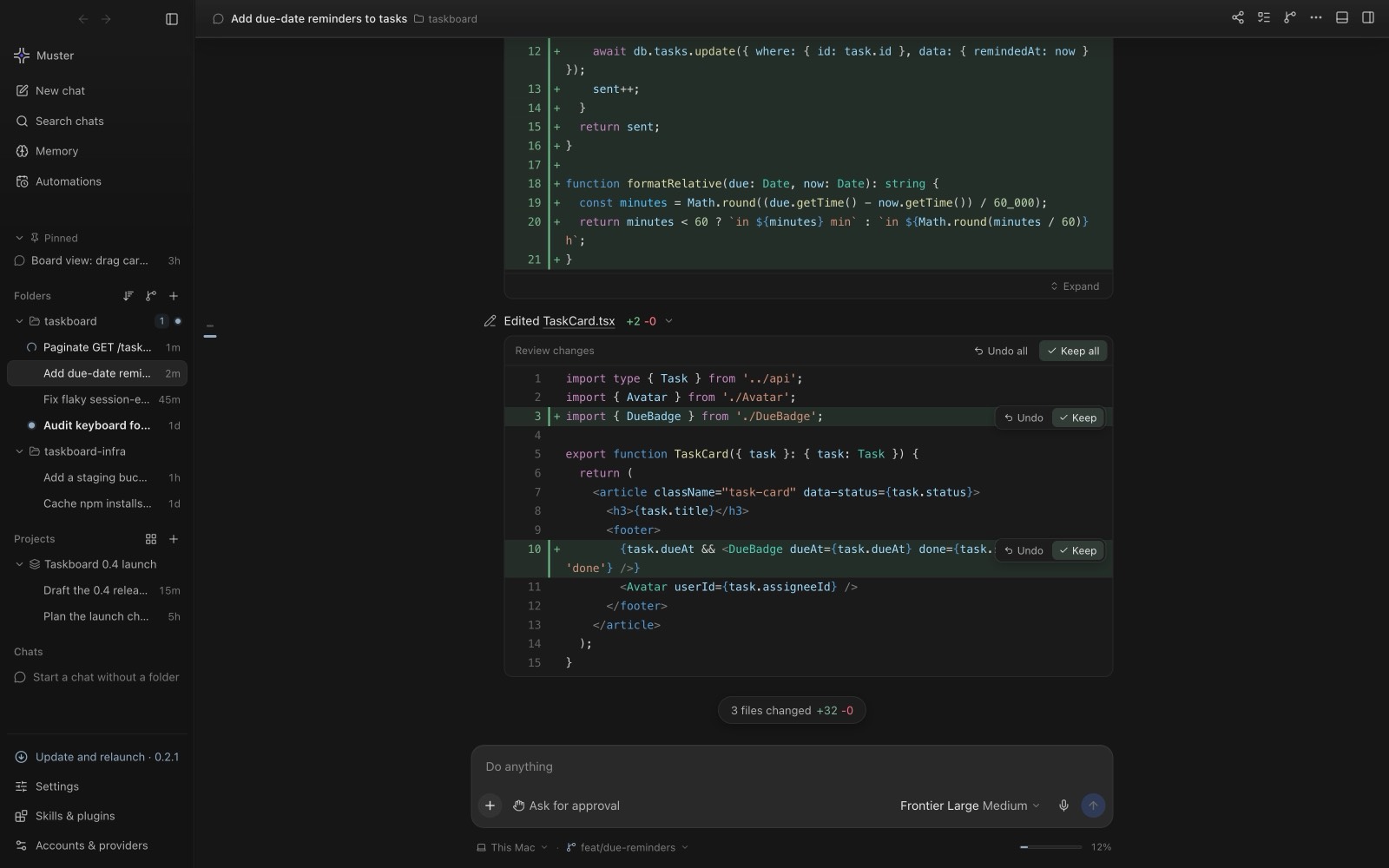
Live diffs with Keep and Undo
Each file Codex edits appears as a diff inside the conversation. Review it hunk by hunk or file by file, then keep the change or undo it. Nothing is final until you decide, which makes it easier to let the agent take larger steps.
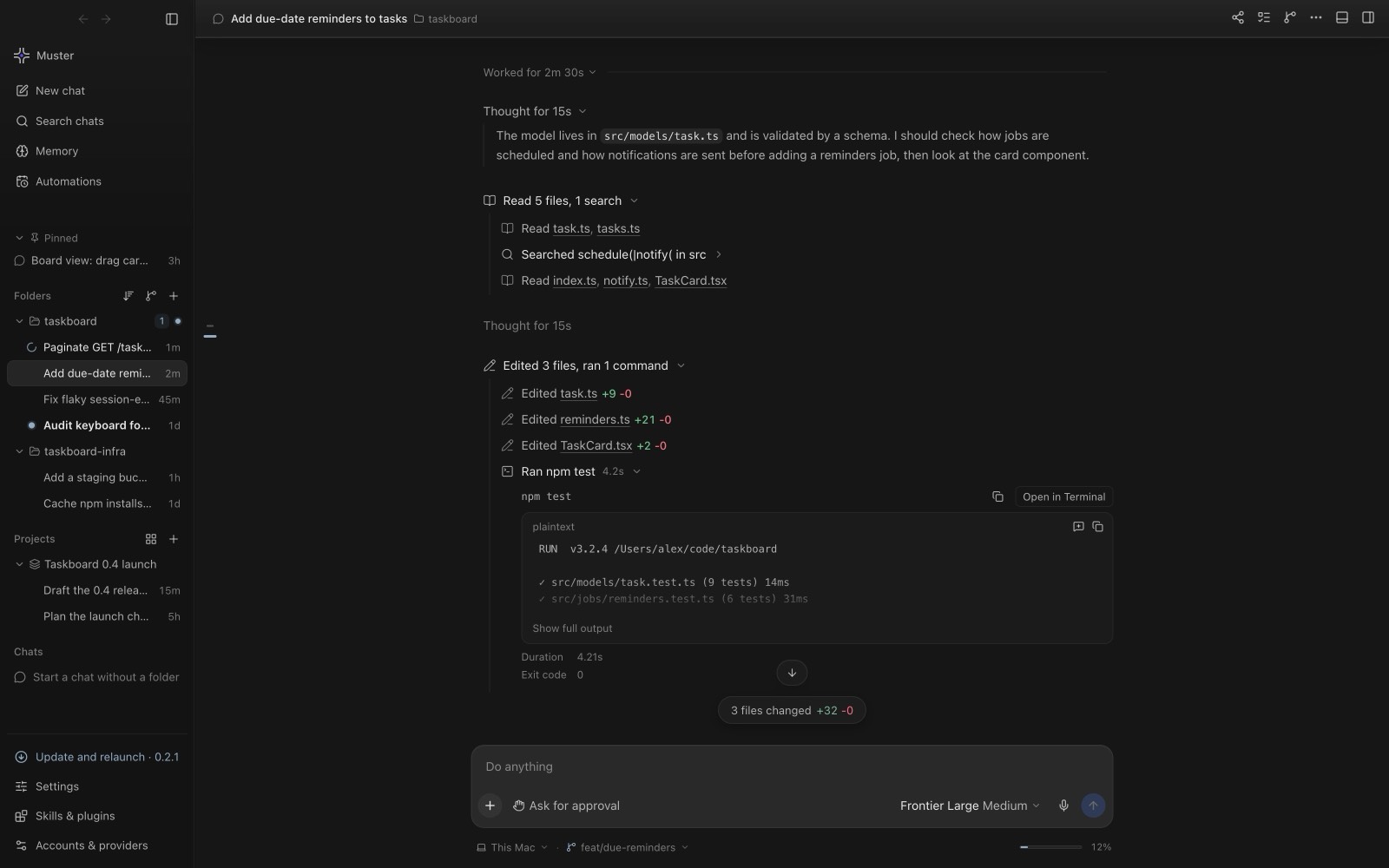
One turn, opened up
Open a turn to see the reasoning, the files that were read and searched, every edit with its added and removed line counts, and the test run with its output and exit code. Long output folds down to its tail until you ask for more, so a session stays readable.
A terminal, a browser and git next to the chat
Real shells sit under the conversation, one tab each, so the dev server and the test run can live side by side. A built-in browser previews your app and reads its console. The git tab shows uncommitted files with the chat that changed each one, plus the commit graph with branches and tags.
Parallel chats without collisions
Run several Codex chats in one project. Muster Agent detects when two chats touch the same files and offers to run a chat in its own git worktree, so a parallel task never edits your checkout.
Bring your old Codex sessions along
Muster Agent can import past conversations from other agent tools, read-only, so earlier work shows up beside new chats. An imported Codex thread that shows no tool use is not resumed partway; the first new message starts a fresh tool-enabled session with the imported conversation as context.
Memory and containment
An agent that remembers, in a box you control.
Most agent chats start from zero. Muster Agent keeps long-term memory in a personal scope and per folder, and shows the notes the next turn will recall before you press send. See AI coding agent with long-term memory for how it works.
If you want Codex to work without touching your laptop, give a chat its own disposable Linux computer. Sandboxes use Docker, start with no network, and cap memory, CPU and process counts. Docker is optional; without it everything else works normally.
Codex is not the only thing it works with. The same window runs Claude Code, OpenCode, the Cursor Agent CLI, the Gemini CLI, OpenAI-compatible routers and local models, and you can pick the model per chat. Run Claude Code and Codex in one app covers that setup.
Get started
Install in about a minute.
- Install Codex the way you normally would and sign in, if you have not already. Skip this if you only want to use another engine or a local model.
- Download Muster Agent for your system from the download page: a
.dmgfor macOS, a-setup.exeor portable.zipfor Windows, an.AppImageor.debfor Linux. - Open it and choose a project folder. Your Codex sign-in is detected automatically.
The source is on GitHub and releases include SHA256SUMS so you can verify a download. The macOS build is not notarized, so the first launch needs a right-click and Open; the download page walks through it.