
WORKS WITH OMNIROUTE
A desktop app that works with OmniRoute and any OpenAI-compatible router
OmniRoute puts many model providers behind one OpenAI-compatible endpoint. Muster Agent is a free, open-source desktop app that works with it as a first-class provider, lists its models and routes, and lets chats on those routes read files, edit code and run commands.
Works with
What Muster Agent works with.
- Codex, using your ChatGPT sign-in.
- Claude Code, using the install and sign-in you already have.
- OpenCode.
- Cursor: runs the Cursor Agent CLI you have installed and signed in to.
- Google Gemini: runs the Gemini CLI you have installed and signed in to.
- Any OpenAI-compatible model router: OmniRoute, OpenRouter, LiteLLM-style gateways and custom endpoints, with your own key for each.
- Any OpenAI-compatible API, including Meta’s Muse models (Muse Spark, Muse Wonder) through the Meta Model API, plus open-weight models you run locally.
- Local models through Ollama and LM Studio.
- Paperclip: check out tasks from a Paperclip org, work locally in a git worktree, and let the work hand itself back.
- Sandboxing: scoped sandboxes and computers, permission modes from read-only to full access, and secrets kept out of commands.
The setup
One endpoint in front, any model behind it.
A router such as OmniRoute lets you keep one address and one key while it decides which upstream provider answers, and it can publish named combos or automatic routes on top of individual models. That is convenient for coding agents, provided the client understands routers rather than treating them as a single model. Muster Agent does. It is independent of OmniRoute and works with OpenRouter, LiteLLM-style gateways, any custom OpenAI-compatible endpoint, Ollama and LM Studio. Each person uses their own key for a router, saved in their own app.
Routers and gateways
Works with your routers.
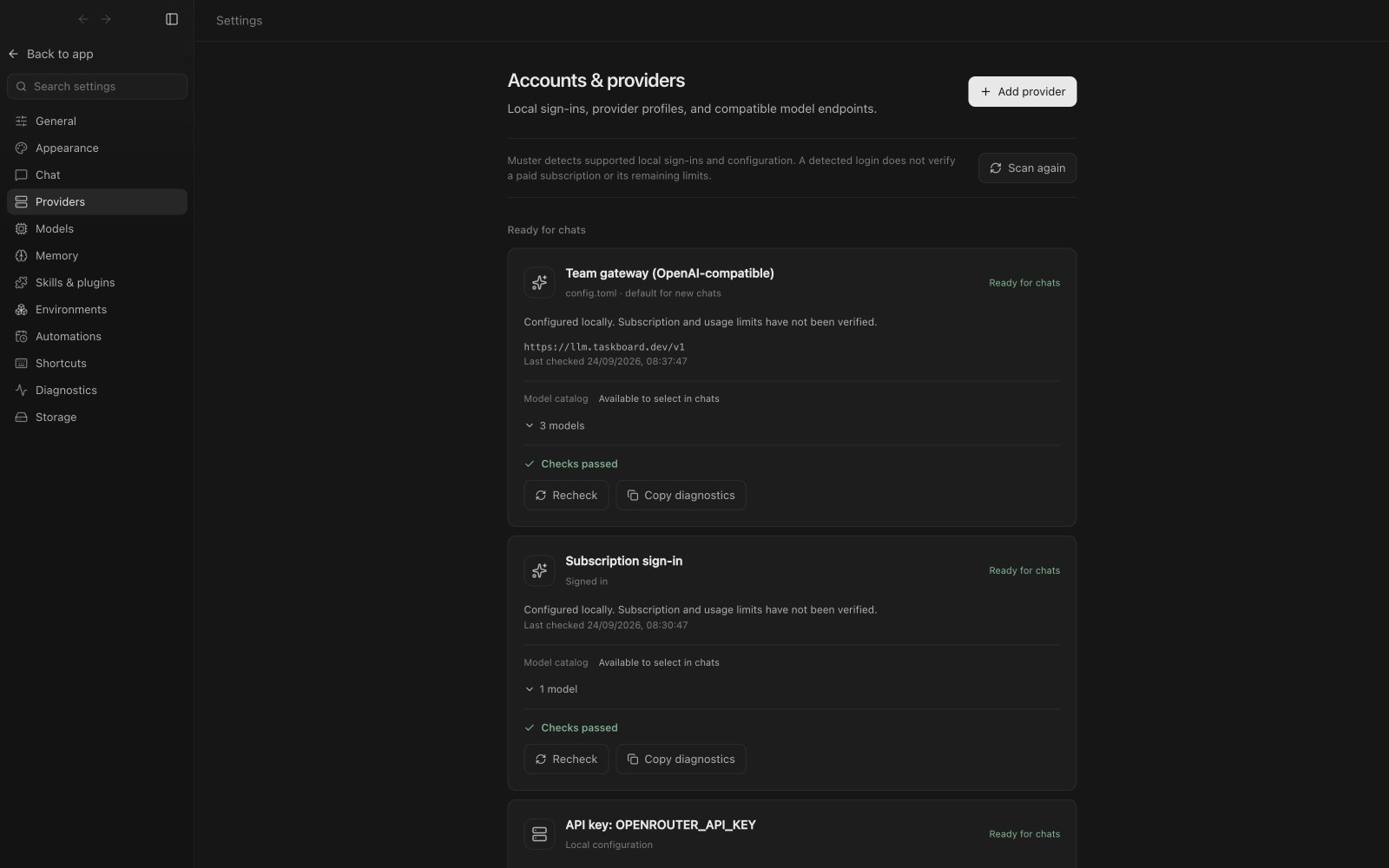
- OmniRoute. Found automatically when it is installed on your computer (on its default local port), added as a provider, or picked up from a gateway named in your Codex configuration. Each person uses their own key.
- OpenRouter. Has its own provider card with a link to get a key.
- LiteLLM. Works through the OpenAI-compatible connection.
- Any OpenAI-compatible gateway or custom endpoint, for example vLLM or a company proxy. Add the base URL and key under Custom endpoint.
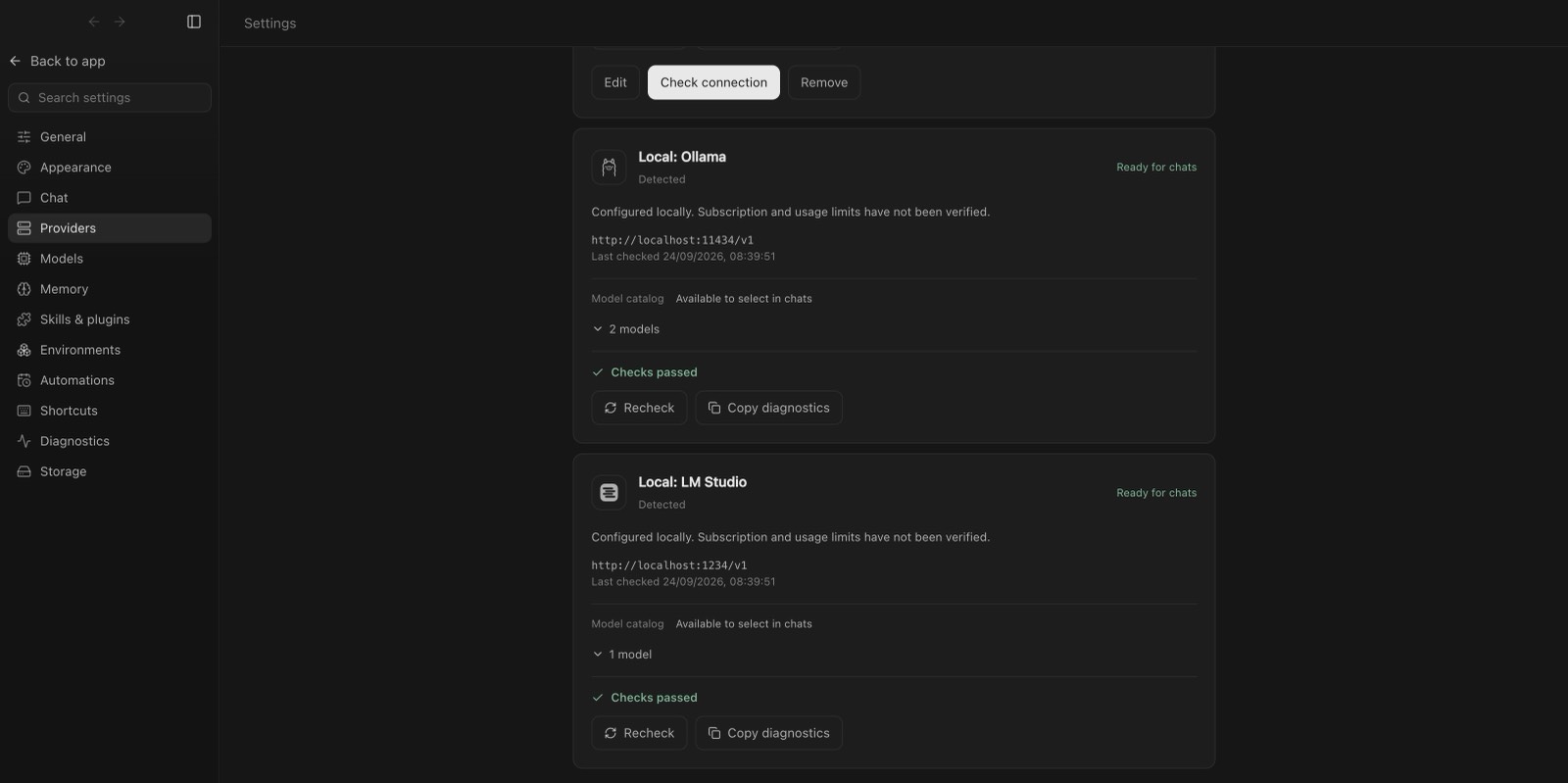
- Local servers. Ollama and LM Studio are detected on their default ports.
Models you can use
Model families, not version numbers.
- OpenAI GPT, via Codex or the API.
- Anthropic Claude, via Claude Code or the API.
- Google Gemini, via the Gemini CLI or the API.
- Meta Muse, via the Meta Model API.
- xAI Grok, via the Grok CLI.
- DeepSeek, Qwen, Mistral, Kimi, GLM and Llama or other open-weight models, through a router or run locally.
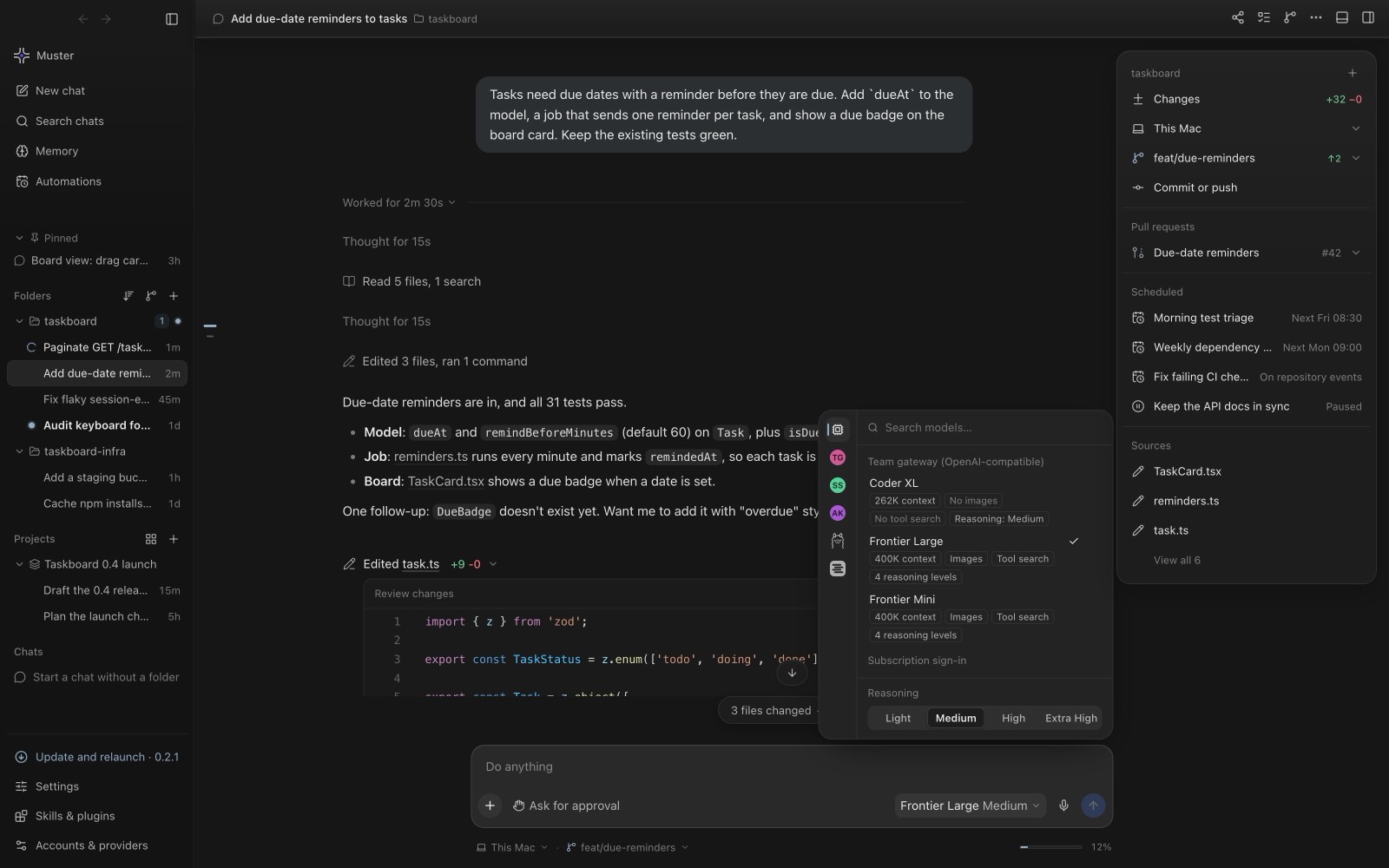
Muster lists whatever models your router or provider offers, read from its own model list, so new models appear automatically.
Connecting
Add OmniRoute in a few clicks.
In Settings, open Accounts and providers, then Add provider. The screen shows one card per provider with a status chip. Ollama, LM Studio, OmniRoute and Custom endpoint start with their default address and an optional key. Choose OmniRoute, confirm the address, press Test connection, then Save. The name, base URL and key variable are under Advanced.
If your router is already configured in a local agent command-line tool, Muster Agent usually detects it on first launch and you do not need to add anything.
Use Meta’s Muse models in Muster
Meta’s Model API is OpenAI-compatible, so the same custom-endpoint route works for Muse models such as Muse Spark and Muse Wonder. Muster Agent’s route is compatible by design, but we have not tested it live against Meta’s API yet.
- Open Settings, then Accounts and providers, then Add provider, and choose Custom endpoint (OpenAI-compatible).
- Set the base URL to
https://api.meta.ai/v1and paste your Meta Model API key. - Enter the model id, for example
muse-spark-1.1, then Test connection and Save. See Meta’s models page for the current ids.
Models and routes, straight from the router
Muster Agent reads models from the router’s own model list instead of a hard-coded catalogue, so new models and combos appear without an app update. Routers that publish their own agents and automatic routes are shown as such. Sending waits for a router’s model list rather than reporting the model as unavailable. The last good list is remembered across restarts, failed listings retry on their own, and errors say exactly what is wrong.
The API key is actually sent
The key you paste is attached to every chat request. An earlier release sent chats without it and failed with HTTP 401; that was fixed, and it is covered by tests.
Agent tools
Routes can do real work, within the access you grant.
A chat on a local OpenAI-compatible route is not limited to conversation. It offers the tools the chat’s access level allows: read and list files, edit files inside the project folder, and, with Full access, run commands. These tools never follow a link out of the folder, end everything a command started when you press Stop, and run with a scrubbed environment so no keys or tokens leak into the command.
If a route refuses tools, the chat answers as plain chat and says so. A chat on a model that cannot run commands shows a notice, “This model can’t run commands or edit files”, with a one-click switch to a route that can, and the earlier conversation is carried over. A chat is never moved to another provider on its own.
Muster Agent also runs Claude Code and Codex directly; see Run Claude Code and Codex in one app. Memory carries across all of them: long-term memory.