
blog ·
Parallel agents and sub-agents: when to split work and keep it reviewable
Running several agents at once can multiply your output or multiply your confusion. This post gives rules for when to split work, how to keep the pieces independent and reviewable, and what Muster Agent provides.
When to split
Split along seams, not along effort.
Parallel agents pay off when tasks are independent: different files, different modules, different repositories, or investigation versus implementation. They backfire when two agents need the same files or when one task’s output is the other’s input. The test is simple: if you would be comfortable giving the pieces to two people who could not talk to each other, you can give them to two agents.
- Good splits. A bug fix and an unrelated documentation update. Tests for one module and a refactor of another. A spike to explore an approach while another agent builds the safe version.
- Bad splits. Two agents editing the same file. A change and the tests that depend on its exact shape, written separately. Anything where the interface is still being decided.
Keeping it reviewable
Parallel work needs more structure, not less.
- Isolate working directories. Give each agent its own branch and worktree so edits cannot collide and each diff reviews on its own.
- Write the goal for each piece. Parallel tasks need clearer goals and acceptance checks than one conversation does, because you cannot course-correct them all at once.
- Limit the fan-out. Your attention is the constraint. Two or three streams you can really review beat six you skim.
- Merge in order. Review and keep the independent pieces first, then rebase the dependent ones.
- Track cost. Parallel runs multiply spend. Read the receipts as you go.
Sub-agents
Delegation inside one task.
Some engines can start sub-agents themselves: a main agent hands a piece of the task to helpers, often for research or for a well-defined chunk, and collects the results. This is useful for fan-out work such as searching several parts of a codebase, but it adds a layer you cannot see unless the tool shows it. When you use sub-agents, make sure you can inspect what each one did, and treat their output with the same scrutiny as the main agent’s.
A worked example
Three tasks, three streams.
Suppose you have three things to do before a release: fix a flaky test, update the installation docs, and explore whether a new caching approach is worth it. They touch different files and none depends on another, so they split cleanly. Give each its own goal and acceptance check: the flaky test must pass twenty runs in a row, the docs must match the commands in the current installer, and the caching spike must produce a short written comparison with measurements, not a merged change.
Start the three, then review in order of risk. The documentation change is quick to read and safe to keep. The test fix deserves a careful look at whether it removed the flakiness or merely hid it, for example by adding a sleep. The spike is not meant to merge at all, so you read the comparison and decide whether to turn it into a real task. Notice what made this work: independent files, explicit checks, and a different expected outcome for each stream.
Signs you split too much
- You keep answering the same clarifying question in several chats.
- Diffs touch shared files and you resolve conflicts by hand more than once.
- You approve changes you did not read because there are too many.
- Spend rises faster than finished work.
When you see these, pause some streams and finish others first. Fewer, finished streams beat many half-reviewed ones, and the agents will still be there when you are ready.
Write a short brief for every stream
Before starting a stream, write three lines: the goal, the files or area it may touch, and the check that proves it is done. It takes a minute, it makes overlap visible before it happens, and it gives you a standard to review against when the work comes back. If you cannot write the three lines, the task is not ready to run in parallel yet.
With Muster Agent
Parallel chats, worktrees and visible sub-agents.
Parallel chats in one project
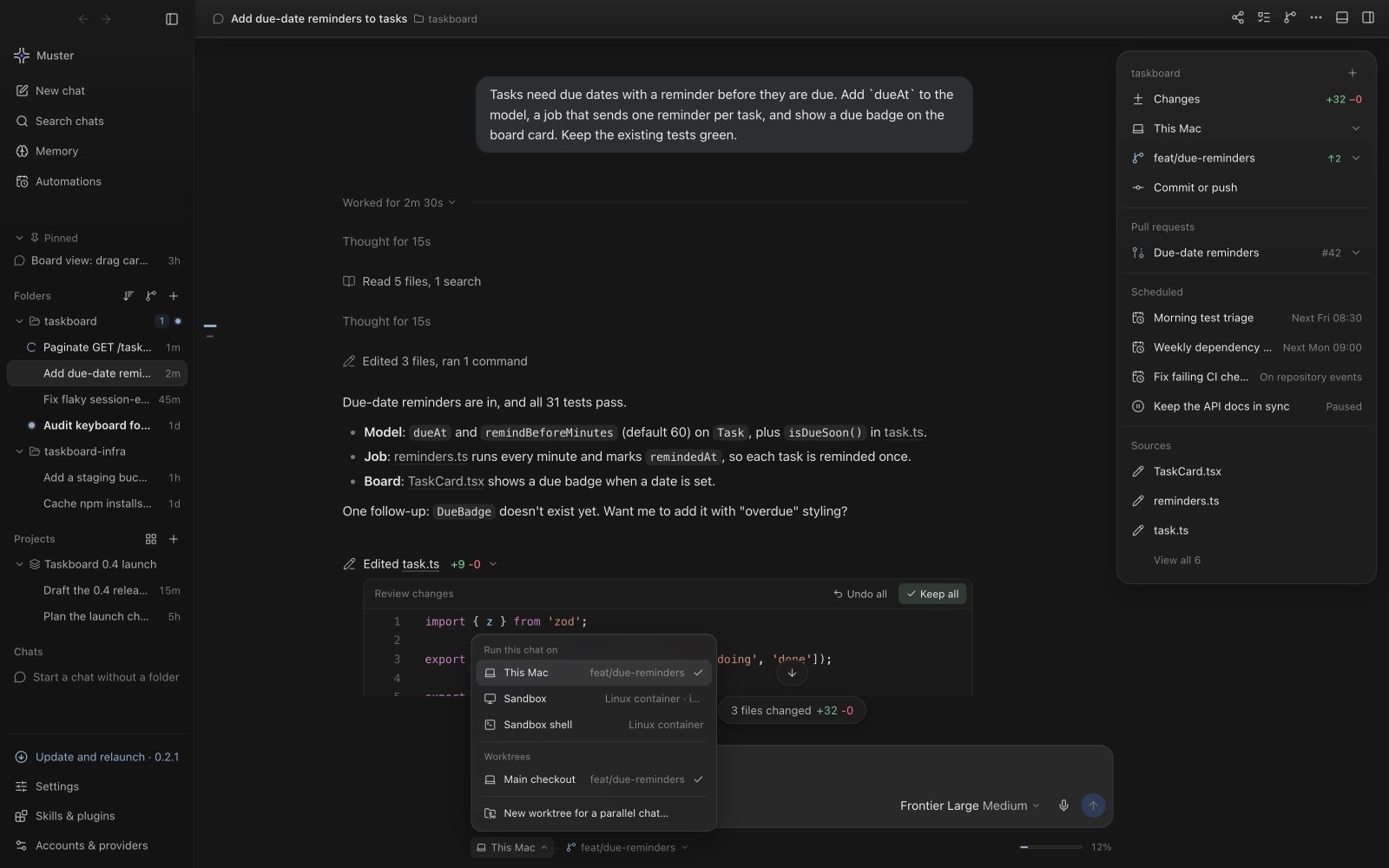
Several chats can share a checkout. Muster Agent detects when two chats touch overlapping files and offers Run in a worktree, so a parallel task works on its own branch rather than your checkout. A menu in the composer chooses where each chat runs: this computer, a sandbox or a new worktree. Sandboxes are limited to two running computers at once, which is a sensible ceiling for attention too.
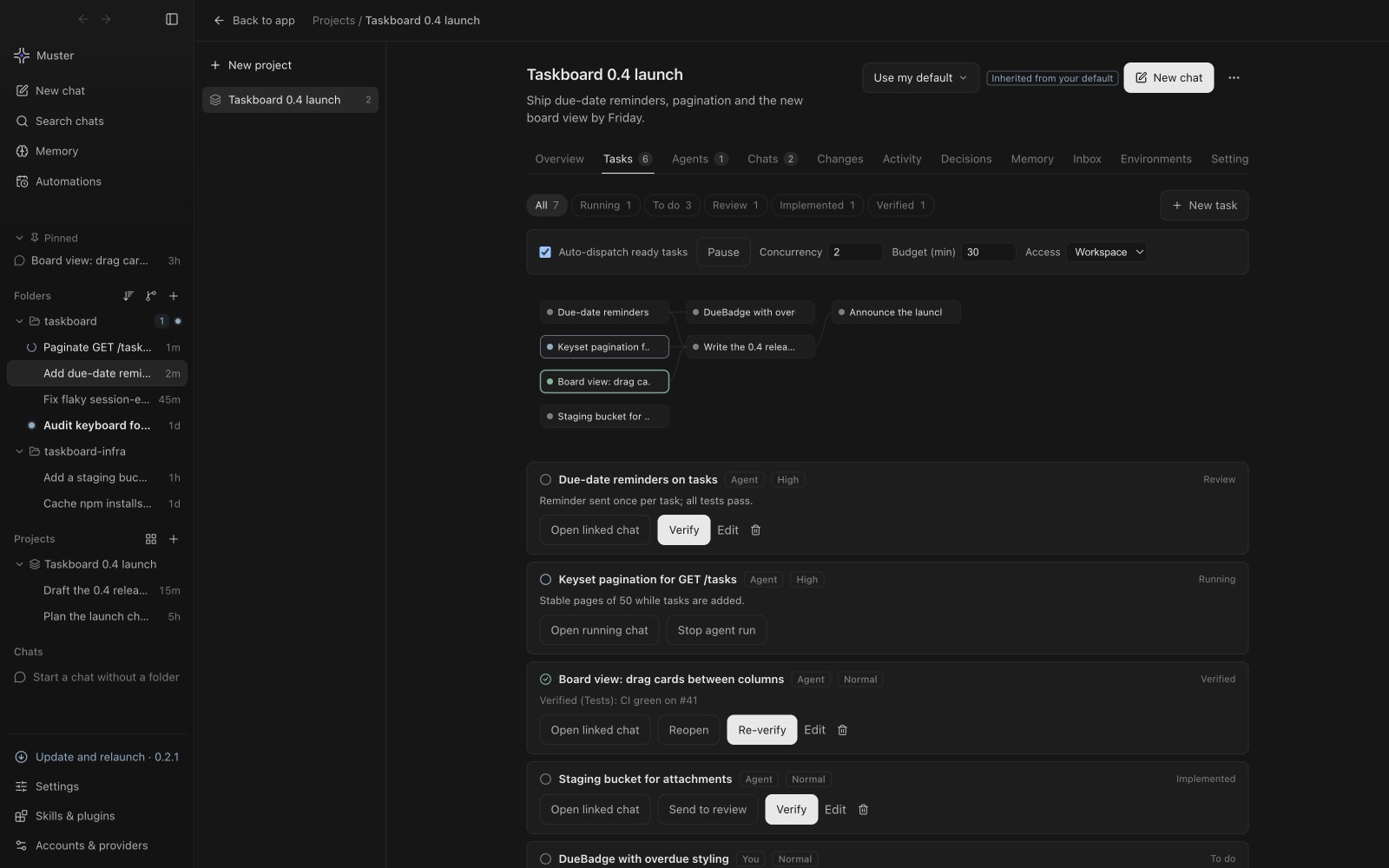
Projects: ready tasks in parallel
Projects hold tasks with owners, priorities and dependencies. Ready tasks go to agents in parallel, and you verify the results. Because dependencies are explicit, a task that needs another’s output waits rather than starting on a guess.
Sub-agents you can inspect
Sub-agents started by Codex and by Claude Code are reviewable: each appears on the summary card and in a Subagents tab. Muster also keeps sub-agents still working in the background alive when it frees memory, and shows an approval card if one asks for permission rather than declining silently. Routes that cannot start sub-agents, such as API-key chats, routers and local servers, are told to do the work directly and no longer mention missing sub-agent tools.
Reviewing many streams
Each chat’s edits show as diffs you can keep or undo, the git tab shows which chat changed each file, and Ledger receipts show tokens and cost per turn. Use them to review one stream at a time. More on that in reviewing agent changes safely.