
blog ·
How to prompt coding agents well
A coding agent does best with a clear goal, the right context, firm constraints and a way to check its own work. Here is how to write that, what to leave out, and how Muster Agent supports each step.
The short version
Describe the outcome, not the keystrokes.
The most common mistake with a coding agent is to write a prompt like a to-do list of edits: open this file, change that function, rename this variable. An agent can do that, but you could have done it faster yourself. The leverage comes from describing the result you want and letting the agent work out the steps, then checking the result against something concrete.
A good prompt has five parts, and they fit in a short message: the goal, the context, the constraints, the acceptance checks, and a note on what not to touch. You do not need all five every time. For a one-line fix, the goal is enough. For anything that takes more than a few minutes of agent time, the other four are where the quality comes from.
1. Goal
Say what done looks like.
State the outcome in terms a reviewer could verify. “Make the export faster” is a wish. “The CSV export of 50,000 rows finishes in under five seconds and the output is byte-identical to before” is a goal. If you cannot say what done looks like, the agent will guess, and you will find out what it guessed when you read the diff.
Include the why when it changes the design. “We need this to work offline” or “this runs inside a request handler, so it must not block” tells the agent which trade-offs matter without you listing them.
Prefer one goal per task
Agents handle a focused task far better than a bundle. If you have three unrelated changes, run three tasks. The diffs stay small, each can be kept or undone on its own, and a mistake in one does not contaminate the others.
2. Context
Give what the agent cannot discover, skip what it can.
Agents can read your repository, search it and run your tests, so you do not need to paste code they can open. What they cannot discover is intent and history: why a module is shaped the way it is, which approach you already tried, which file is the real entry point, which command runs the relevant tests.
- Point at the starting place. Name the file or directory to begin with. It saves a long search and prevents the agent from solving the problem in the wrong layer.
- Share the failure. For a bug, include the exact error, the command that triggers it and what you expected. A stack trace is worth more than a paragraph of description.
- Say what you already ruled out. “It is not the cache; I disabled it and the bug remains” saves a wasted hour.
- Name conventions that are not obvious. If your team writes tests a certain way or avoids a certain library, say so once. Better, write it down where the agent will find it every time.
3. Constraints
Put the guardrails in the prompt.
Constraints are the difference between a change you can merge and a change you have to untangle. Useful ones are concrete: which files may change, which public interfaces must stay the same, which dependencies are off limits, what style to follow, whether to add tests. “Do not change the public API” and “no new dependencies” are short and enforce a lot.
Constraints about process matter as well. If you want the agent to propose a plan before editing, ask for it. If you want it to stop and ask when it hits ambiguity rather than choosing silently, say that. A sentence like “if something is unclear, ask before changing code” turns a silent wrong guess into a question you can answer in seconds.
4. Acceptance checks
Give the agent a way to know it is finished.
An agent that can check its own work will usually fix its own mistakes. Tell it how: the test command to run, the linter to satisfy, the behaviour to confirm in the browser. “Run the unit tests for the billing module and make sure they pass, and add a test that fails without your change” gives the agent a loop to iterate in and gives you evidence to read.
If there are no tests, ask for one first. A failing test that reproduces the bug is the best specification you can give, and it stays in the repository afterwards. For interface work, ask the agent to run the app and look at the result rather than reporting success from the code alone.
Ask for evidence, not reassurance
“Done” is not evidence. Ask the agent to summarise what it changed and to show the command output that supports it. That is also what makes review fast: you read a short summary, check the diff, and look at the test result.
5. What to leave out
Less noise, better results.
Long prompts are not better prompts. Leave out anything the agent can read from the code, instructions that contradict each other, vague adjectives like “clean” and “robust”, and background that does not affect the decision. Do not paste whole files, and avoid pasting secrets: an agent does not need a live key to write code that reads one from the environment.
Also leave out step-by-step micromanagement unless you have a specific reason. If you dictate the steps, you inherit responsibility for their correctness. If you state the goal and constraints, the agent carries more of that burden, and you can judge it by the result.
Where Muster Agent helps
Support for the parts that repeat.
Muster Agent is an open-source desktop app that works with several coding agents, so the advice above applies whichever you choose. A few features make the repeated parts cheaper.
- Memory for context you repeat. Notes live in a personal scope or with a folder or project, such as the command that runs the tests or a naming convention. A chip in the composer shows which notes the next turn will recall, and you can remove any of them for that chat. See long-term memory.
- Tasks that carry a goal. Projects hold tasks with owners, priorities and dependencies. For a task checked out from a Paperclip server, the task’s goal and acceptance criteria are treated as what you want done.
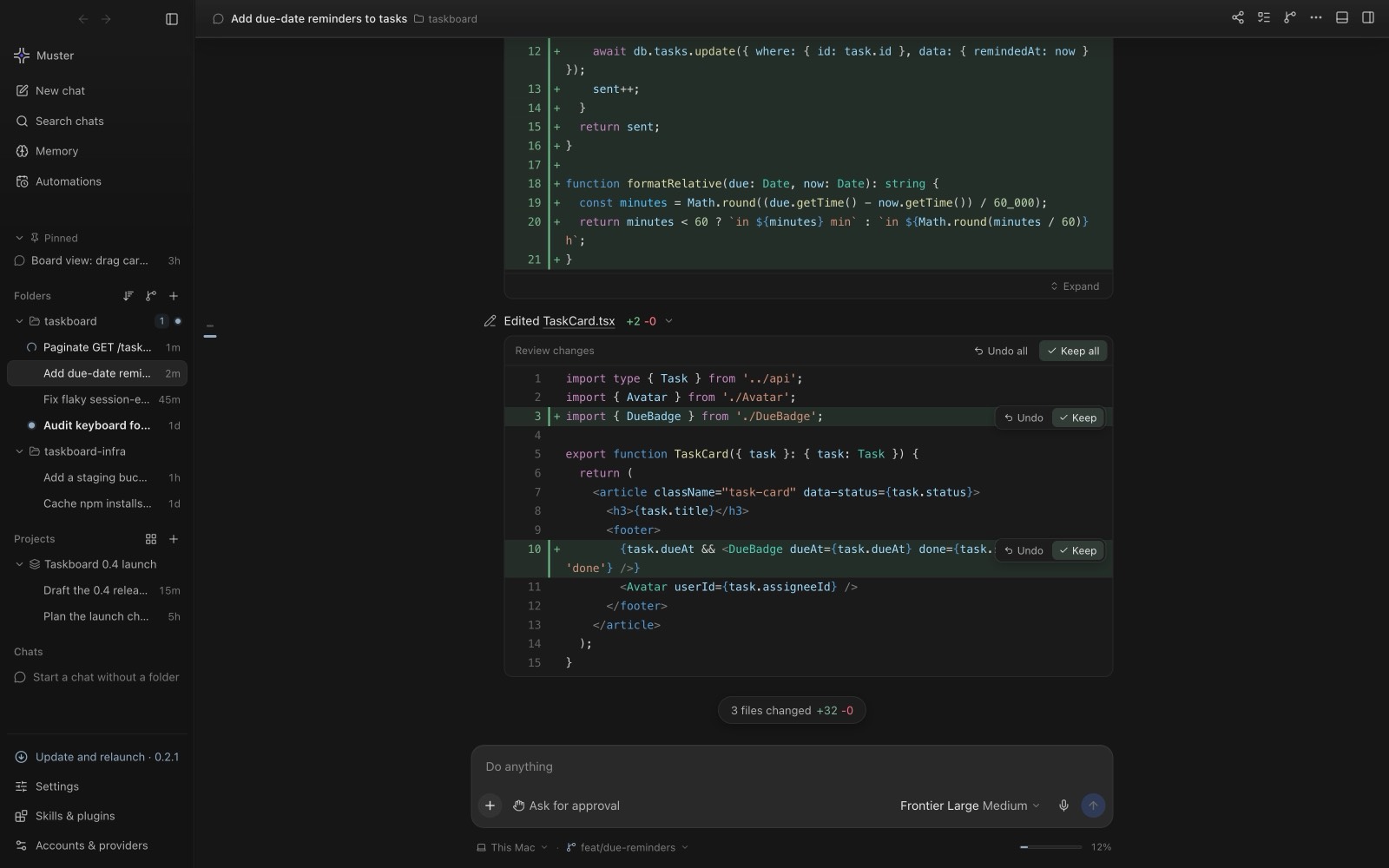
- Reviewable results. Every edit appears as a diff you can keep or undo per hunk or per file, and each agent turn can be opened up to show the files read, the edits and the test run with its output and exit code.
- Skills. Local skills, switched on or off by scope, are a place to keep instructions you would otherwise retype.
A last practical tip: when a result is not what you wanted, resist the urge to pile corrections into one long follow-up. Undo the change, tighten the goal or add the missing constraint, and run it again. A clean second attempt from a better prompt is usually faster than a negotiation.