
blog ·
Using any model through routers: OmniRoute, OpenRouter and LiteLLM
A router gives you one endpoint in front of many models. This post explains when that helps, how to choose a model for each task, how cost shows up, and how Muster Agent connects through its OpenAI-compatible connection.
Why a router
One address, one key, many models.
A model router sits between your tools and several model providers. You point your tool at a single base URL with a single key, and the router decides which upstream provider answers, applies fallbacks and sometimes publishes named combinations of models. For coding work this helps in three ways: you can change providers without reconfiguring every tool, you can keep one key to rotate, and you can mix a cheap model for routine edits with a stronger one for hard problems.
Most routers speak the same protocol, usually called OpenAI-compatible: a base URL ending in /v1, a bearer key and a /models endpoint that lists what is available. Because they share that shape, a client that supports the protocol works with any of them.
Choosing models per task
Match the model to the work.
- Routine edits and renames. A fast, inexpensive model is usually enough, and quick turns keep you in flow.
- Debugging and design. Use the strongest model you can afford, with higher reasoning where offered. One good answer is cheaper than five poor ones.
- Large context. Check the context window before you hand over a big task. A model that cannot hold the relevant files will guess about the rest.
- Images. If the task involves screenshots, confirm the model accepts images.
- Private code. If code must stay on your machine, route to a local model, and accept the quality trade-off.
Do not decide once and forget. Try the same small task on two models, compare the diffs and the cost, and keep the one you would rather review. Model lists change quickly, so revisit the choice every few weeks.
Reading the cost
Spend you can read.
The risk with routers is invisible spend. A fallback to a pricier model, a long context or a loop of retries can cost more than you expect. The remedy is a record per turn: which model, how many tokens, what it cost. Check it regularly, set your own prices where the router reports none, and treat any turn marked unpriced as a gap to fill rather than as free.
With Muster Agent
The OpenAI-compatible connection.
Muster Agent is an open-source desktop app that works with several coding agents and with any OpenAI-compatible router. Here is how each case connects, based on what the app actually does.
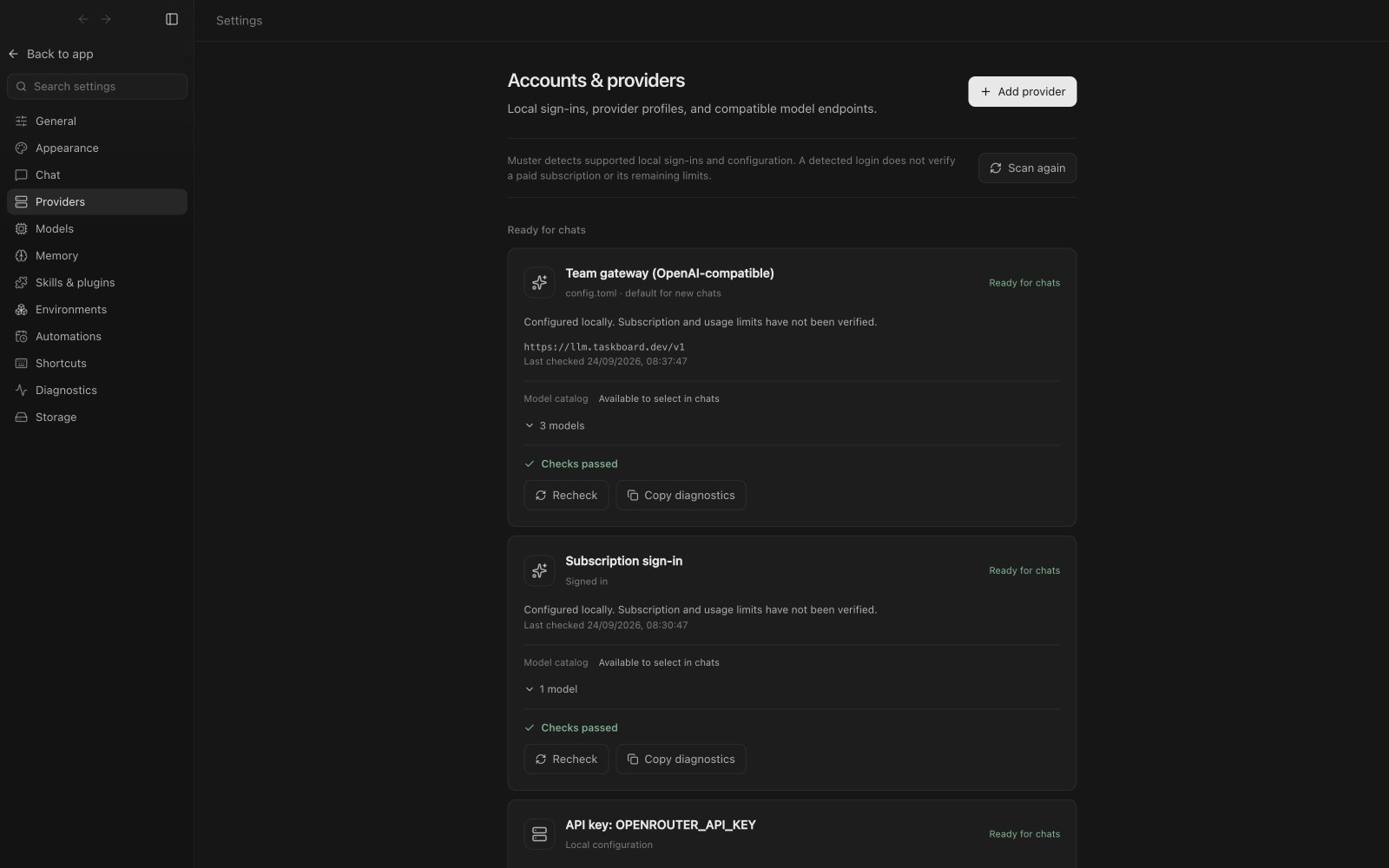
- OmniRoute. It is detected automatically when it is installed on your computer, on its default local port. You can also add it as a provider, or have it picked up from a gateway named in your Codex configuration. Each person uses their own key, saved in their own app.
- OpenRouter. It has its own provider card with a link to get a key and its default endpoint filled in.
- LiteLLM and other gateways. There is no special handling; they work through the OpenAI-compatible connection like any gateway or custom endpoint, for example a proxy run by your company.
- Local servers. Ollama and LM Studio are detected on their default ports.
Adding one
- Open Settings, then Accounts and providers, then Add provider.
- Choose the provider’s card, or Custom endpoint for anything else, and enter the base URL, for example
https://router.example.com/v1, and your key. - Press Test connection, then Save.
Models appear on their own
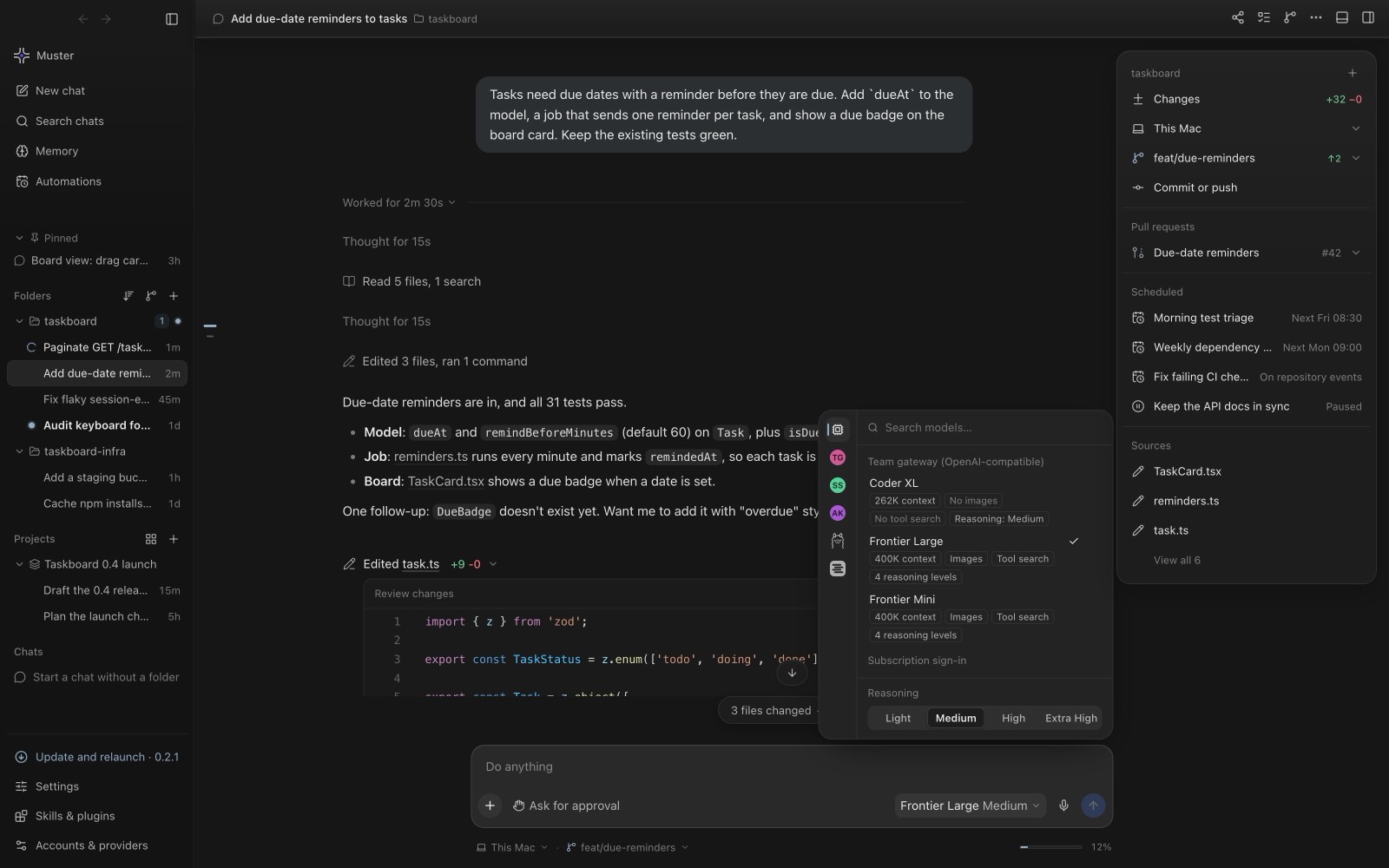
Muster reads each provider’s own model list rather than using a hard-coded catalogue, so new models appear without an app update. Sending waits for a router’s model list instead of reporting the model as unavailable, the last good list is remembered across restarts, and errors say exactly what is wrong. The model picker shows each model’s context size, image support and reasoning level, and you switch per chat.
Reliability and safety
Routers are infrastructure too.
Fallbacks and failure modes
A router that silently falls back to another model can change quality and price mid-task. Prefer explicit routes for important work, know what your router substitutes when a provider is down, and watch for turns that suddenly take longer or cost more. If an answer looks different from usual, check which model produced it before you blame the prompt.
Protecting keys
A router key can spend your money across several providers. Give each person their own key so usage and revocation are per person, keep keys out of repositories and prompts, and if you run a router on your own machine, bind it to the local address unless you have a reason to expose it. Rotate a key you have pasted anywhere shared.
Benchmark on your own tasks
Public leaderboards measure other people’s problems. Keep three or four small tasks from your own codebase, such as a bug with a known fix, a small feature and a refactor, and run them against any model you are considering. Compare the diffs, the number of corrections needed and the cost. Ten minutes of this beats an afternoon of reading comparisons, and you can repeat it whenever a new model appears.
Tools, limits and cost
What a router chat can do.
A chat on a local OpenAI-compatible route offers the tools its access level allows: reading and listing files, editing files inside the folder and, with full access, running commands. If a route refuses tools, the chat answers as plain chat and says so, and a chat on a model that cannot run commands offers a one-click switch to one that can. A chat is never moved to another provider on its own. Chats sent directly to the Anthropic Messages API are text only, and the composer says so before you send.
Every project turn gets a receipt with files changed, tests, tokens, time and cost in the Ledger, which has cost views by model, agent, project and day, and lets you enter your own prices. See also the router guide and reviewing agent changes safely.