
blog ·
Running agents on your own server or in the cloud with Muster Server
Muster Server runs the Muster Agent runtime on a machine your team shares, with browser access, roles and connectors. This post explains what runs where, how to deploy and connect, how teams use it, and which parts are not in this release.
Do you need a server?
Often you do not.
A desktop app on your own machine is the simplest setup: your repositories are already there, your editor is there, and nothing needs hosting. A shared server earns its place when several people should see the same projects and tasks, when agents should keep working while laptops are closed, or when a chat channel should be able to start work.
Decide first what really needs to run centrally. Planning, task tracking and chat entry points suit a server. Anything that touches a developer’s local checkout, terminal or browser usually belongs on that developer’s computer. Muster Server is built around exactly that split.
What Muster Server is
One process, one database, the same interface.
Muster Server runs the Muster Agent runtime on a shared machine. People sign in from a browser and get the same interface as the desktop app: chats, projects, the Roster, the Inbox and the Ledger. Owners and admins manage people, invites, project access, usage and cost, and chat connectors. It is one Node process with an SQLite database, and in the team’s own end-to-end run it idled at about 120 MB of memory.
Deploying it
- Release tarball with systemd. Download the server archive for your platform, check it against the published checksums, run
muster-server init, thenmuster-server start. The archive bundles its own Node runtime. - Docker. A Dockerfile and an example Compose file with Caddy in front for automatic HTTPS. Data lives in one volume.
- Behind your own proxy. The server binds to loopback by default and expects TLS to be terminated by a reverse proxy such as Caddy or nginx, or you can give it a certificate directly. Binding beyond loopback requires you to list the allowed host names.
Back it up with muster-server backup. The secret key is not in the backup, so keep it separately, because without it stored provider and connector secrets cannot be read.
People and access
Local accounts, invites and roles.
Accounts are local. The first command creates an owner, and everyone else joins through a single-use invite link that expires. There are four roles: owner, admin, member and viewer. Members and viewers see the projects shared with them, and chats started outside a project are private to the person who started them. Project owners can invite people to their own project only. Revoking a person ends every session and token at once and disconnects open browser tabs.
Sessions use secure cookies and CSRF protection, sign-in is rate limited, API tokens are stored as hashes, and secrets at rest are encrypted. Every sign-in, invite, role change and turn start goes into a tamper-evident audit chain you can verify from the command line.
Connecting the desktop app
One field and one button.
In the desktop app, open Settings, then Integrations, then Muster Server, type the server address and press Connect. The app works out what kind of server it is, opens the server’s own sign-in page in a window of the app, and you approve the connection there; the app never sees your password. Once connected, the server’s organisation and projects appear in the app itself, grouped under the org in the sidebar, with tasks as threads, the Roster, the Inbox, Ledger receipts and approvals. A server that speaks the Paperclip REST API connects the same way.
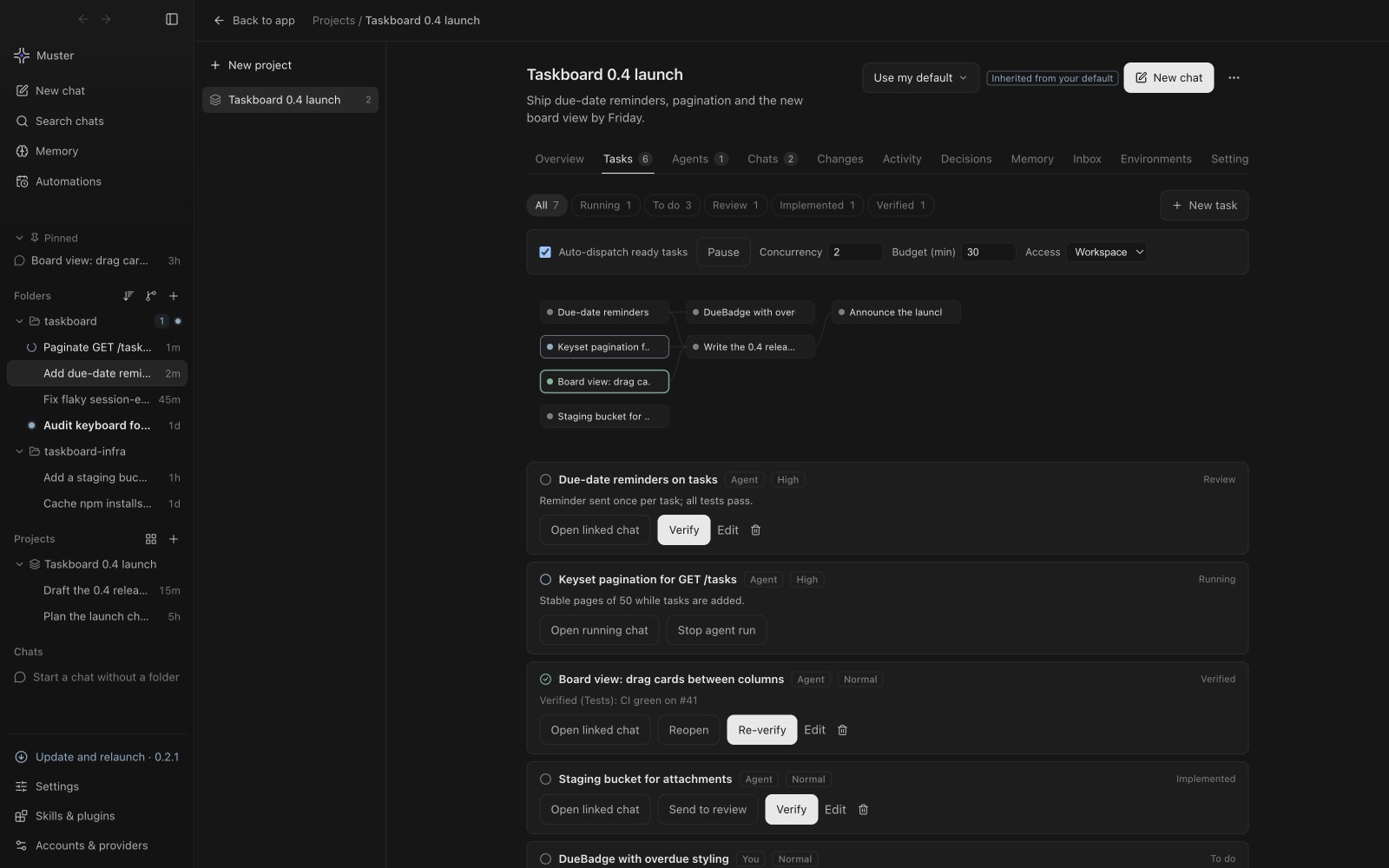
Some features depend on the user’s own computer, so the browser version shows them as desktop only rather than as broken buttons: the built-in browser, terminals and host commands, screen capture and computer use, and app updates. This is also why checking a task out to work locally happens in the desktop app.
How teams use it
Chat in, tasks out, cost visible.
- Chat connectors. Slack (Socket Mode or signed events), Telegram (polling or webhook) and Mattermost are supported. You can run several per type, route by channel, mention, keyword or sender, and choose whether a match starts a chat or creates a task. Refusals are visible: a guest or unrouted channel gets a reply that says why.
- Remote agents. An agent on another machine can join one project by invite and report on its assigned tasks through a project-scoped credential. Nothing runs for a remote agent on the server.
- Cost per person. Every turn is in the Ledger, so cost can be reported by user, project or model from the command line or the web interface.
A rollout plan
Start small and prove the basics.
- One machine, one project. Install the server on a small machine, create the owner, and share a single project with one teammate. Confirm that the desktop app connects and that tasks and the Ledger show up.
- Prove backup and restore. Run a backup, copy the secret key somewhere safe, restore into a scratch directory and run the built-in doctor command. A backup you have never restored is a hope, not a backup.
- Add TLS and a proxy. Put the server behind a reverse proxy with a real certificate and set the public URL and allowed hosts before inviting more people.
- Add one connector. Connect a single chat channel with one routing rule, and check what a refusal looks like for a guest or an unrouted channel.
- Read the cost report. After a week, look at cost by person and by model, and decide whether prices need to be set for unpriced models.
Questions to settle first
Who administers the server and rotates keys? Which repositories may the server’s operating-system user touch? Are people allowed to use their own provider accounts, or only shared ones? Does any requirement, such as single sign-on, sit on the list of things not yet built? Answering these before the first invite avoids rework later.
What is not built yet
Be clear before you commit.
The server documentation is explicit about its limits, and they are worth knowing. Single sign-on and OIDC are not part of this release. Postgres is not supported; the store is SQLite behind an interface. There is one organisation per server. Agent jobs do not yet run in per-run sandboxes on the server, and the agent runtime runs as the server’s operating-system user, so run it as a dedicated user with access only to the repositories it should work in. WhatsApp, Discord, Teams, Google Chat and email connectors are marked coming soon and never start. If any of these is a requirement, plan around it.
For team task flow in practice, see working locally on Paperclip tasks, and for containment see sandboxing coding agents.